
In some cases, your video may appear less vibrant than the original. This is because the video you've imported is in HDR.
Our solution automatically disables all HDR metadata in videos.
HDR videos are not suitable for the web, as they can lead to :
Highlighting effects,
Excessive saturation,
Playback problems,
Site darkening, etc.
To improve the colorimetry of your video, you can, if you wish, convert your videos from HDR to SDR.
To do this, download the CapCut application and follow the steps below:
Import your video into Capcut
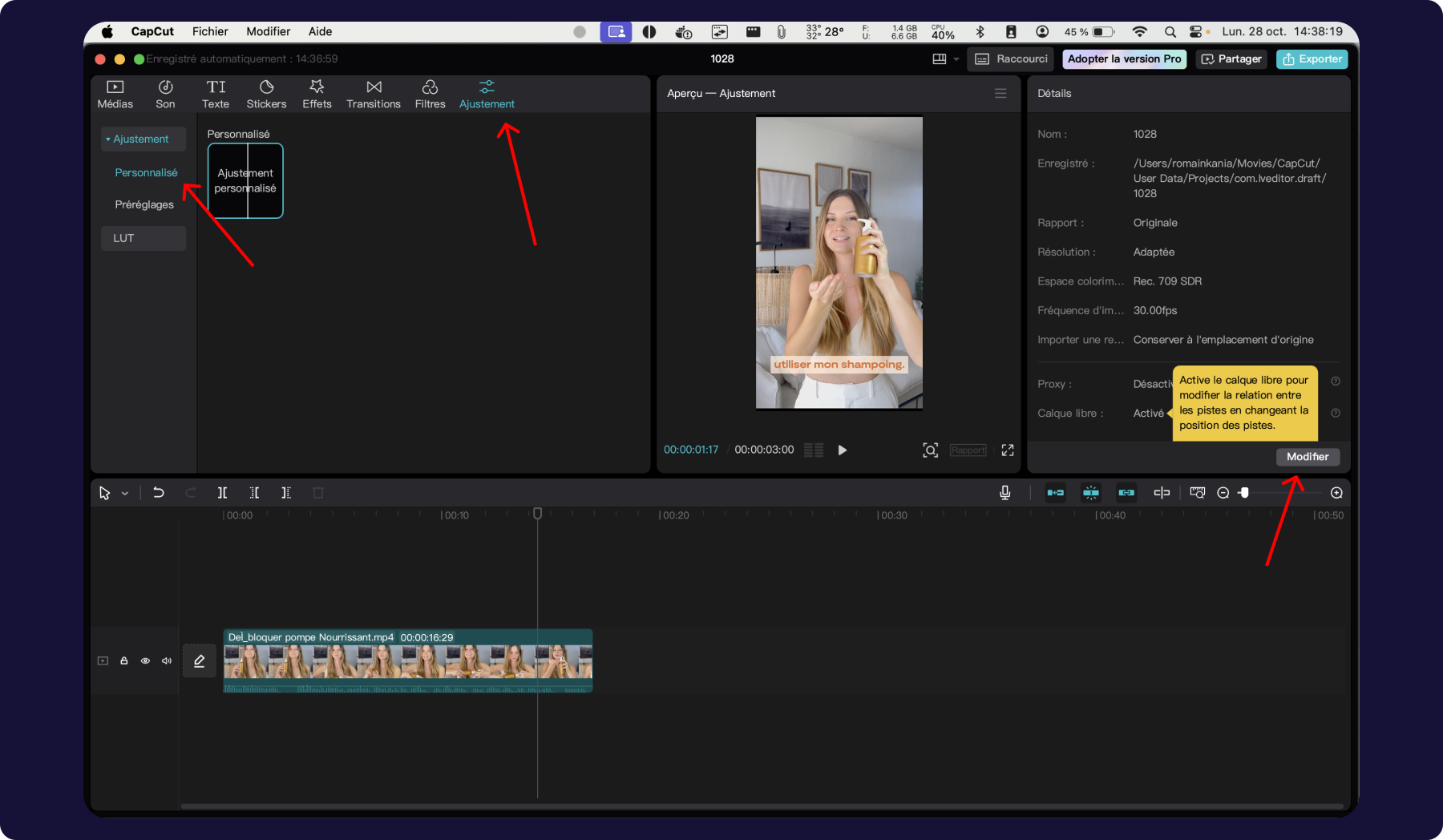
Click on the “Adjustment” tab, then on “Custom”.
Click on the “Modify” btn
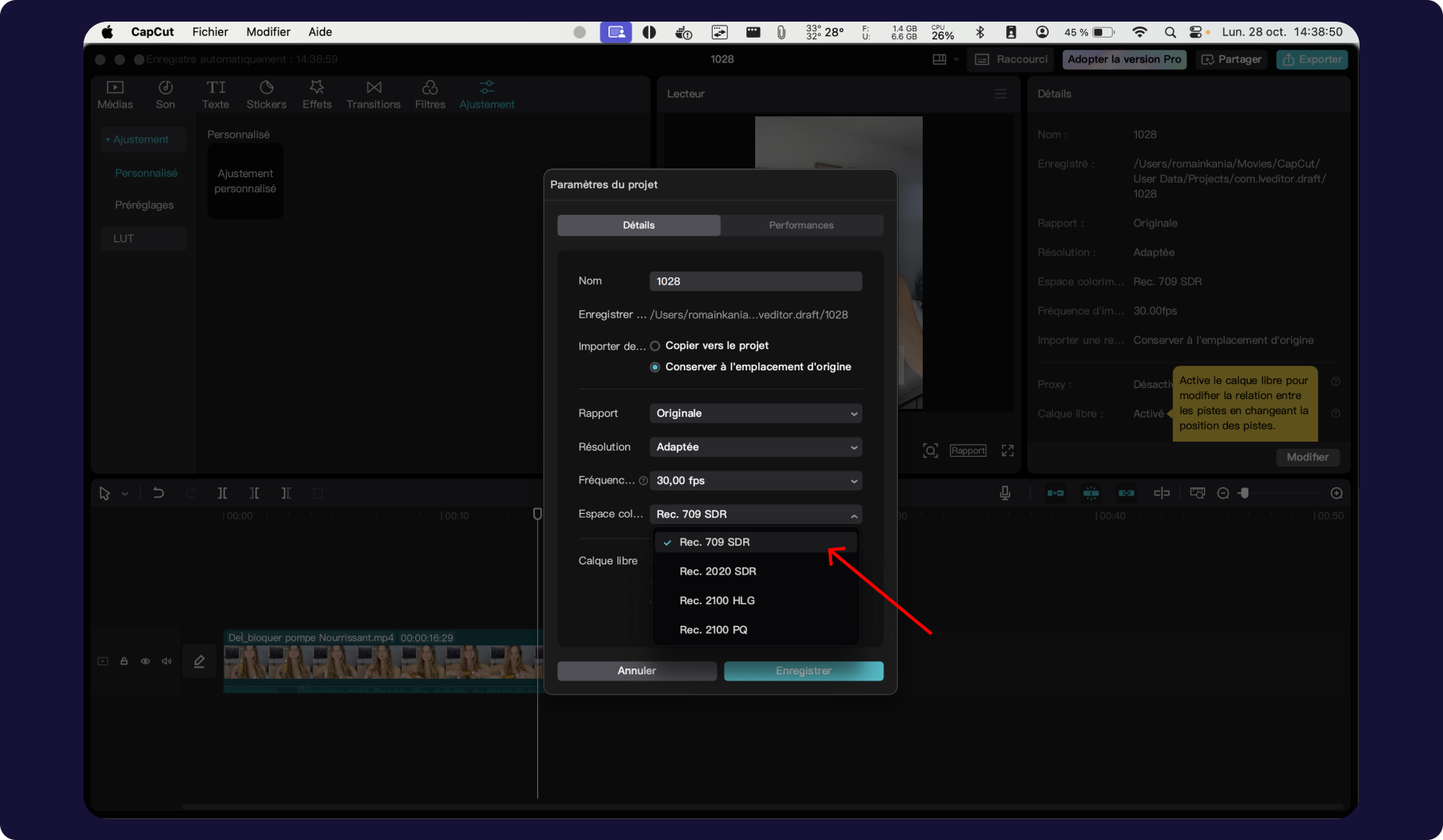
Then select Rec. 709 SDR in the “Color space” tab.
Once the video is uploaded, you can transfer it to your PlayShorts account.