
With PlayShorts, you can easily add and manage multiple stores from a single account.
This feature allows you to operate several shops without creating new accounts each time.
Add a New Store
Click on your profile at the bottom left of the navigation bar.
Select “Add store.”
Enter your store name and its domain.
Choose the subscription plan that best fits your needs.
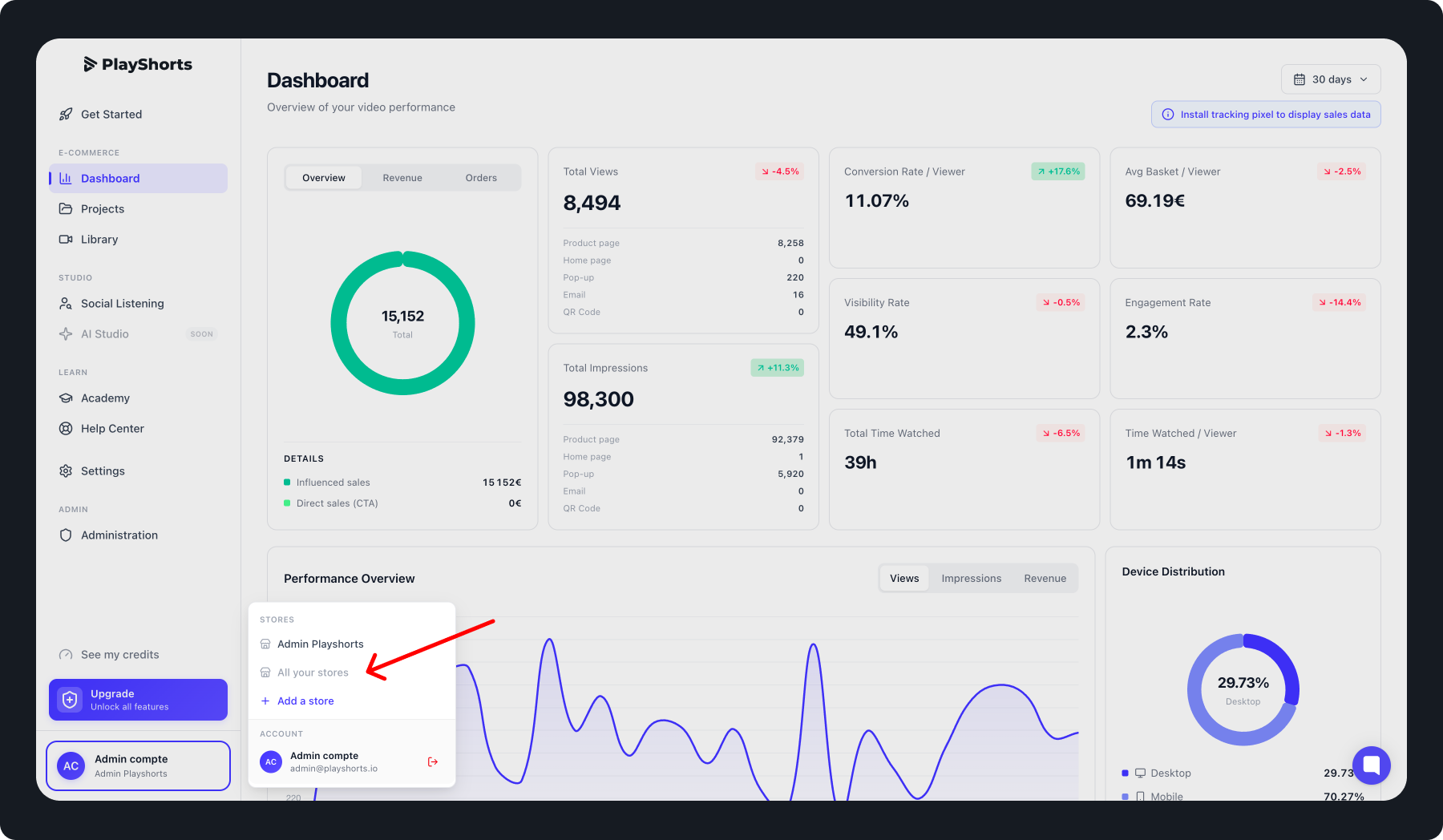
Once completed, your new store will appear in your PlayShorts account.
Switch Between Stores
To switch between stores on PlayShorts:
Click on your profile in the bottom-left corner of the screen.
From the list, select the store you want to access.
If the desired store isn’t visible, click “All your stores.”
A modal window will open with your full list of stores.
Choose a store.
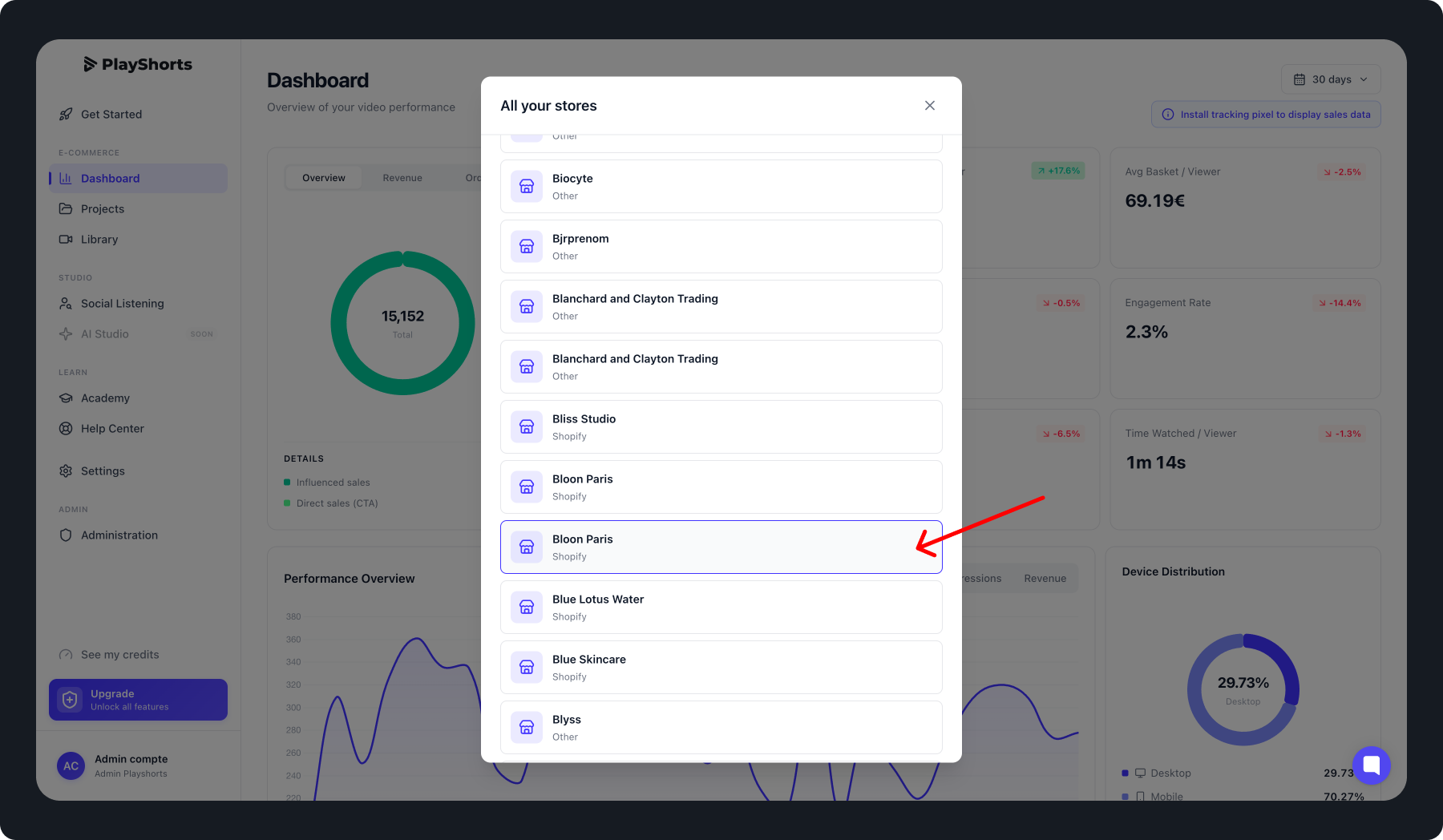
⚠ Important : Each store on PlayShorts has its own independent back-office.
Settings, products, and analytics are unique to each store.