
Add a Collaborator
With PlayShorts, you can invite different members of your team to join your workspace.
To invite a user:
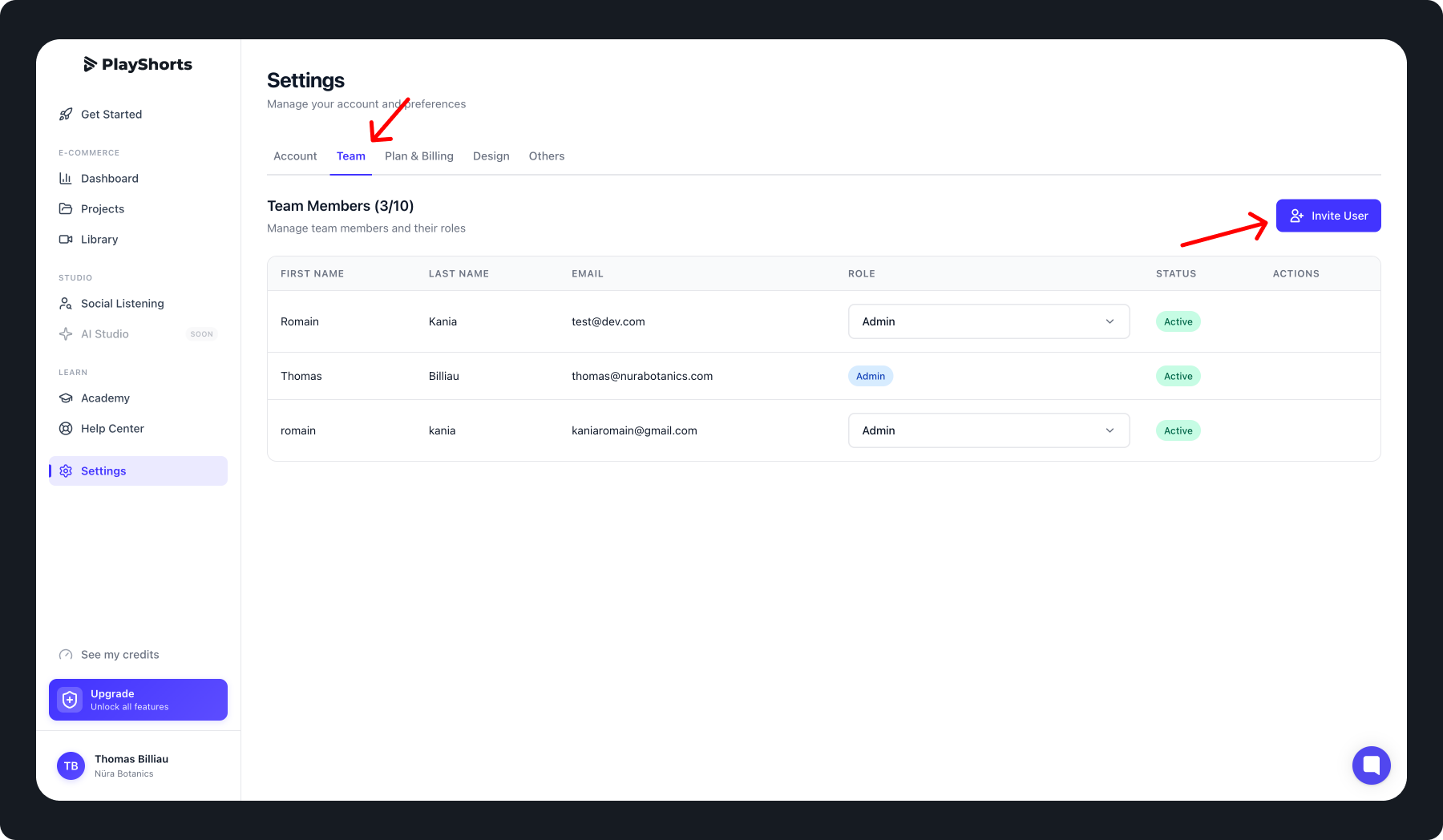
Click on “Settings” in the navigation bar.
Select the Users tab.
Click the “Invite users” button.
Enter the collaborator’s email address.
Choose their role from the options below:
Member: Has access to all features but cannot invite or remove other members.
Admin: Has full access and can invite or remove team members.
Confirm the invitation.
Account Activation
After the invitation is sent, the invited user will receive an email invitation.
They can then create their password and log in to PlayShorts with the permissions assigned to their role.
Tips💡
You can invite up to 10 team members.
Roles and permissions can be updated at any time from the Users tab by an Admin.