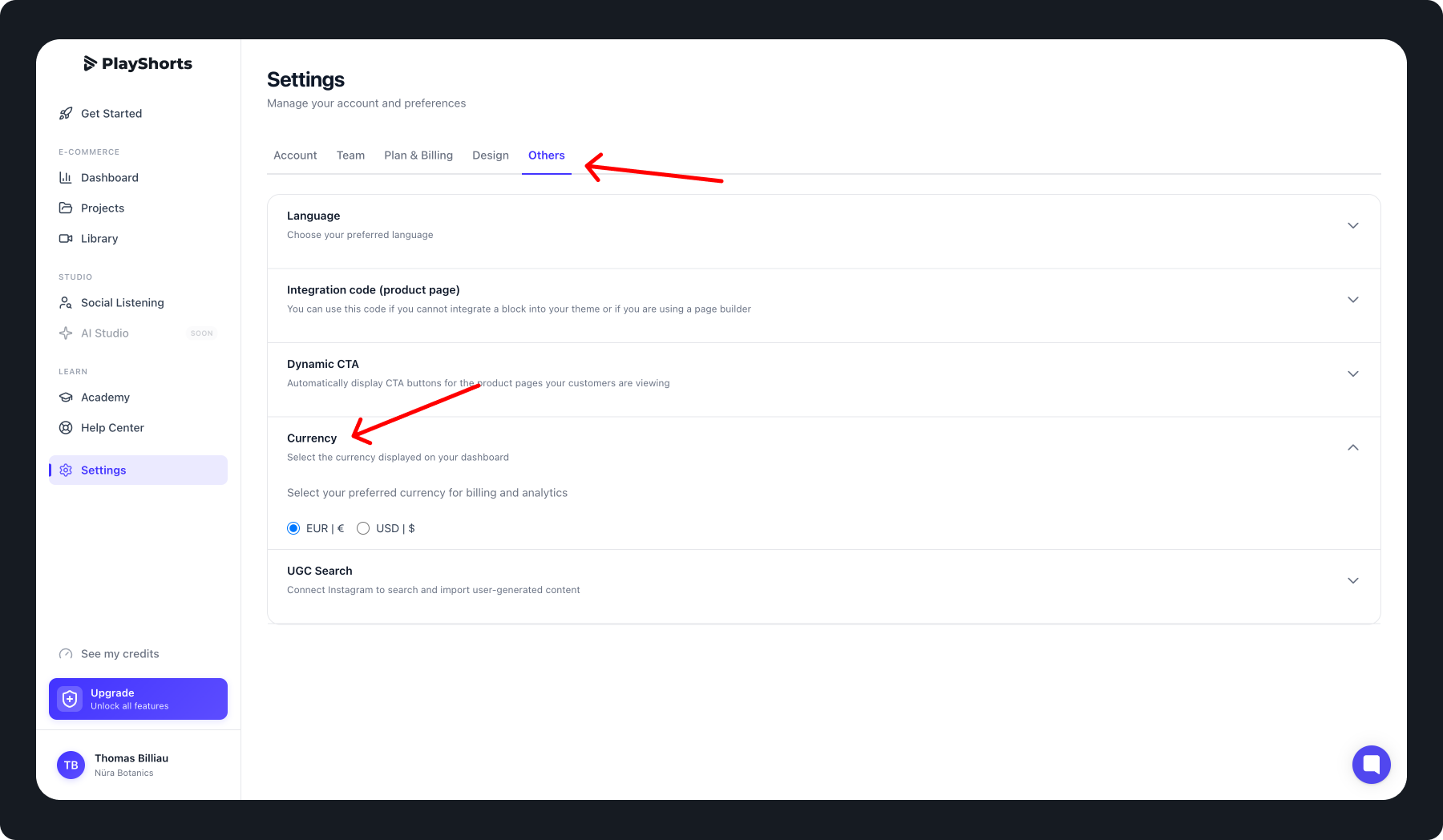
Update Your Currency
To change your dashboard currency:
Click the Settings tab in the navigation bar.
Select the Others section.
Click on Currency.
Choose the currency that best suits your needs.
Your dashboard will automatically update to reflect the selected currency.
Tips 💡
Changing the currency only affects reports and analytics display.
You can update this setting at any time to match your preferences.