
For Other CMS (Non-Shopify)
With PlayShorts, you can easily access your invoice history and update your payment details.
To do this:
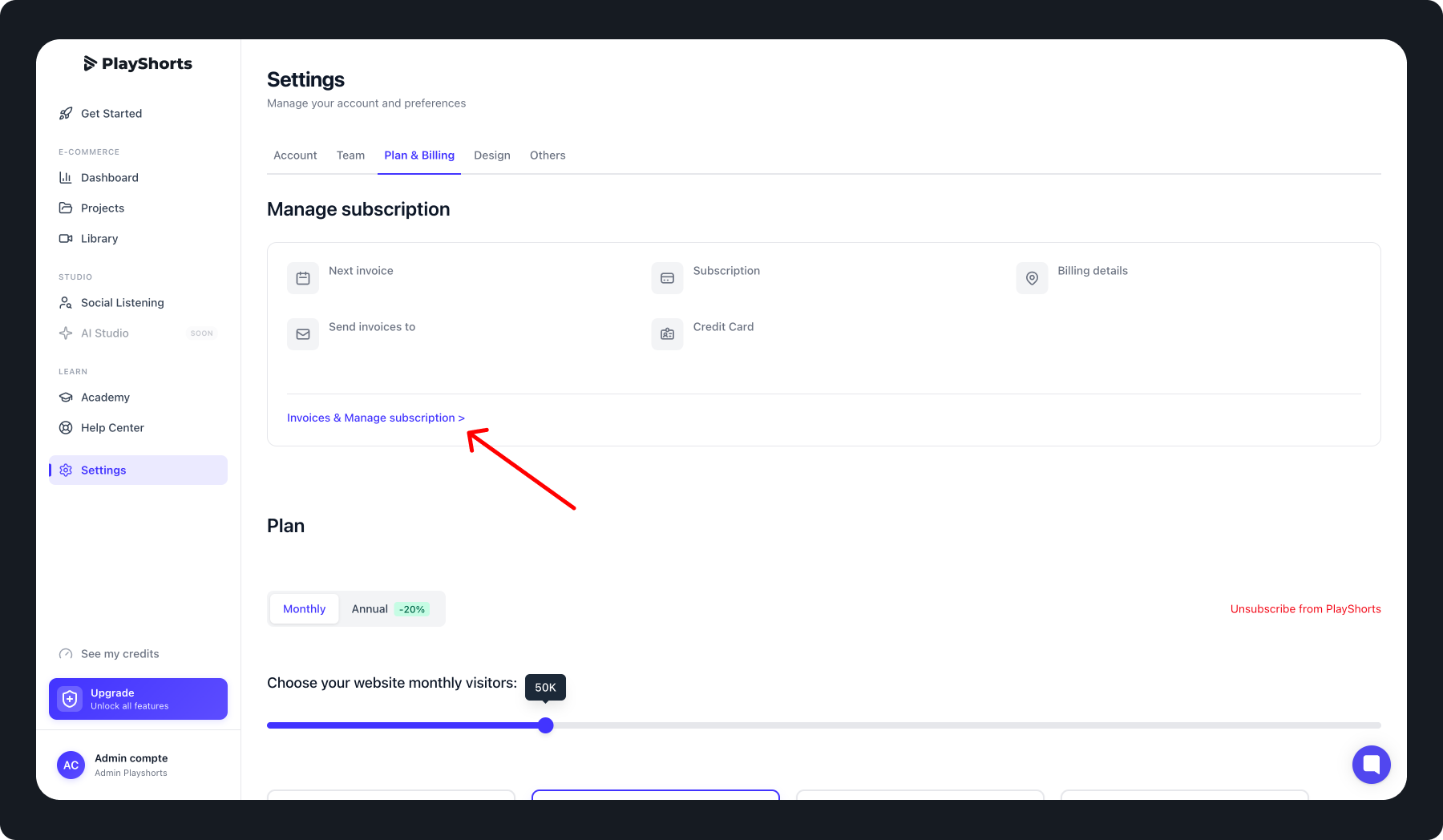
Click the Settings tab in the navigation bar.
Select Plan & Billing.
You will see a summary of all your payment information.
To update your payment details or view invoices, click Invoices & Manage Subscription.
For Shopify
If your website is on Shopify, billing is managed directly through Shopify.
To access your payment information or view invoice history:
Log in to your Shopify admin dashboard.
All invoices and payment details can be found under the Billing section in Shopify.