
Why Use This Method?
Some page builders do not allow you to add native blocks from third-party apps.
In such cases, manually embedding via an integration code is the best way to display your PlayShorts videos on product pages or custom sections.
Steps to Embed Your Videos
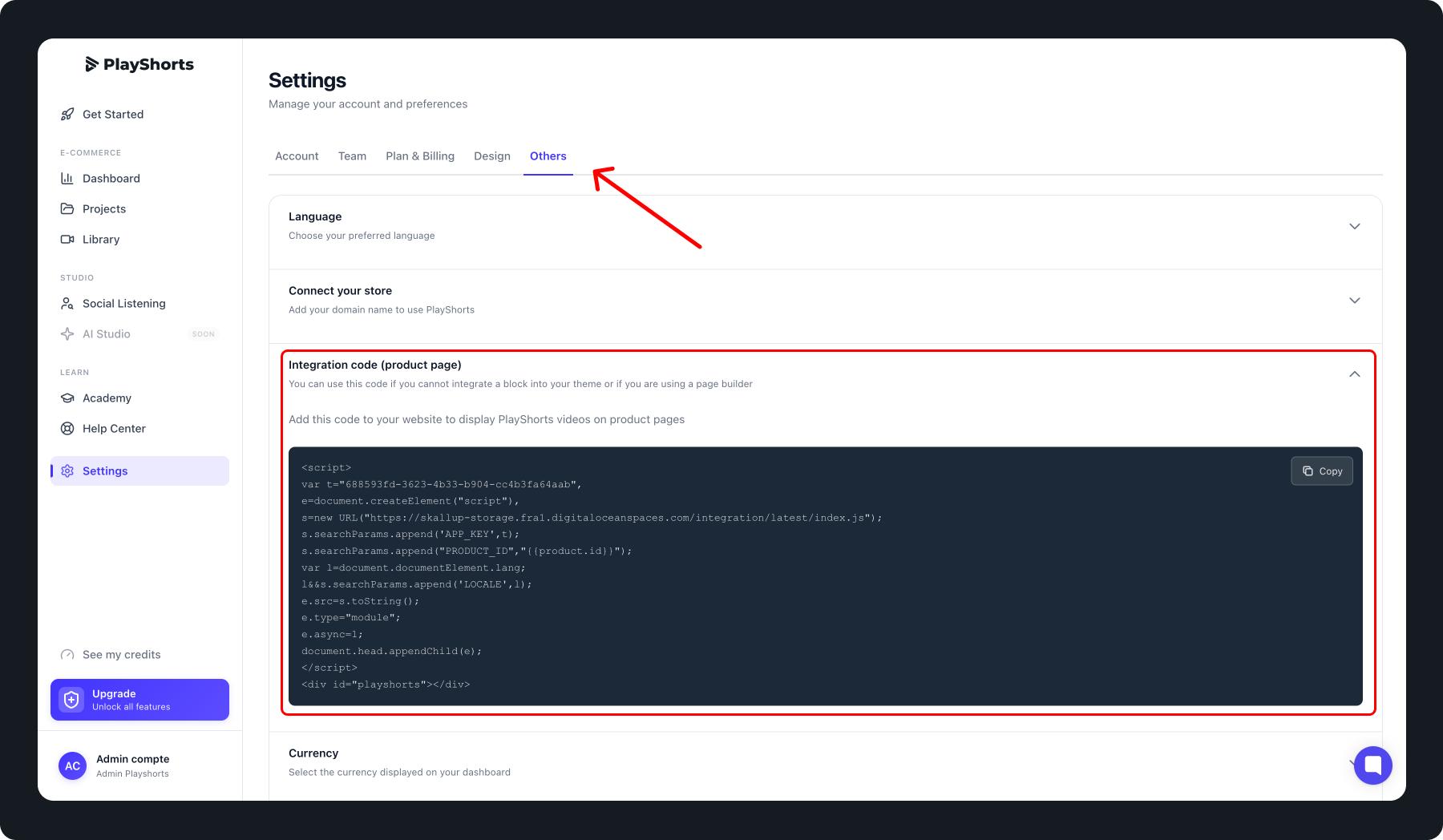
Go to the Settings tab.
Select the Others section.
Click on Integration Code.
Copy the displayed code.
In your page builder, create a custom block where you want the video to appear.
Paste the code into the block.
Save your page.
Your PlayShorts videos should now display correctly.
Tips 💡
Make sure the integration code is available on all product pages where you want videos to appear.
This method works with most Shopify page builders.