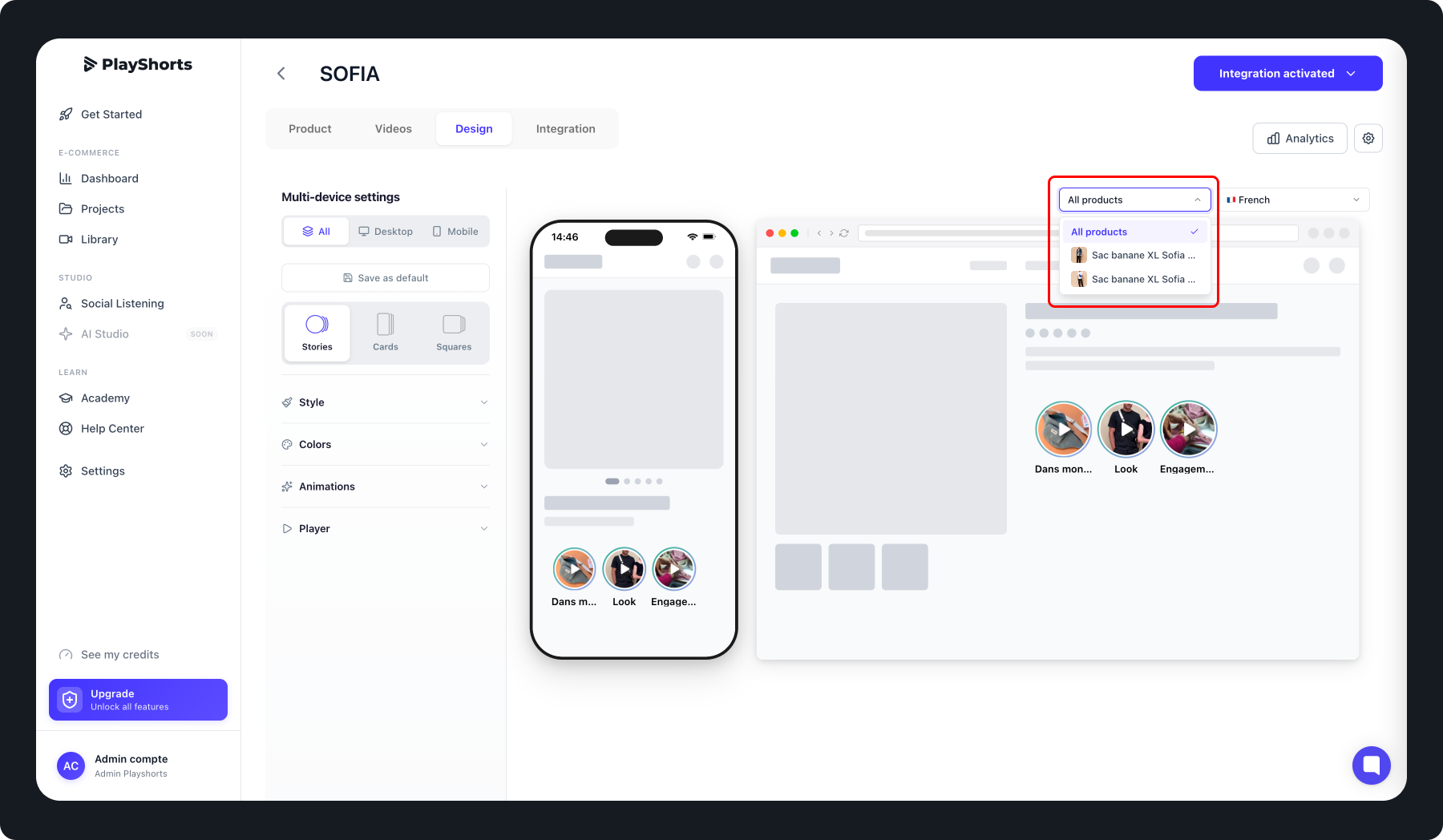
On PlayShort, a video project corresponds to a set of videos that are displayed on one or multiple product pages.
Specifically:
Each project is linked to one or more products.
All videos within a project are shared across all associated products.
This approach works well for simple cases but has several limitations:
Project multiplication: any small variation requires creating a separate project.
Complex management: tracking and updating dozens of similar projects becomes tedious.
Risk of errors: content duplication, inconsistencies in distribution, and more.
To address these challenges, we created Dynamic Product Matching. This feature allows you to:
Create a single project that can be associated with multiple products.
Have stories shared across all products in the project.
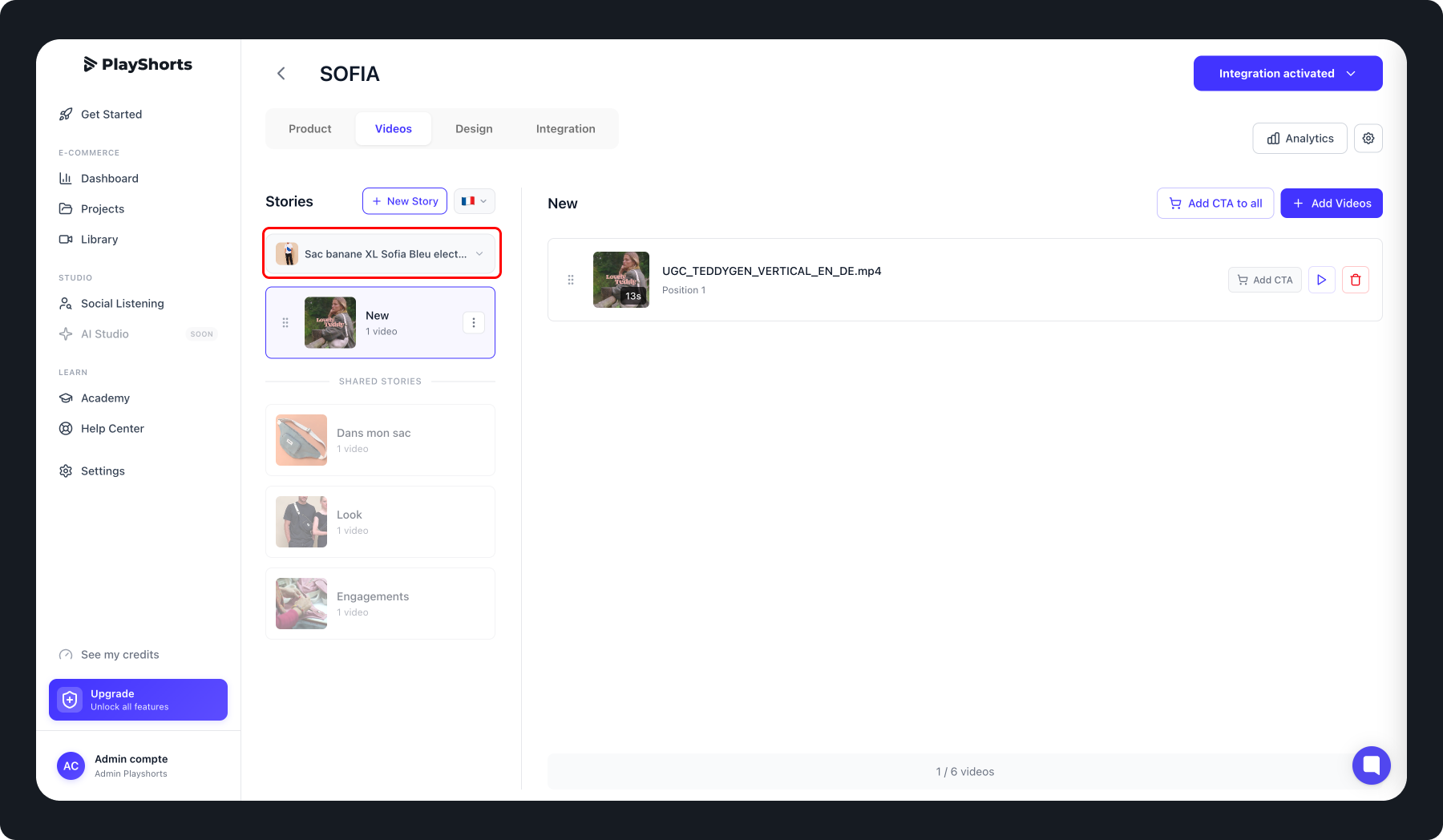
Customize the display for each product individually by adding one or more product-specific stories.
In other words, you can now:
Share base videos across all your products.
Add product-specific variations without duplicating the entire project.
Keep a centralized project, easier to manage, update, and optimize.
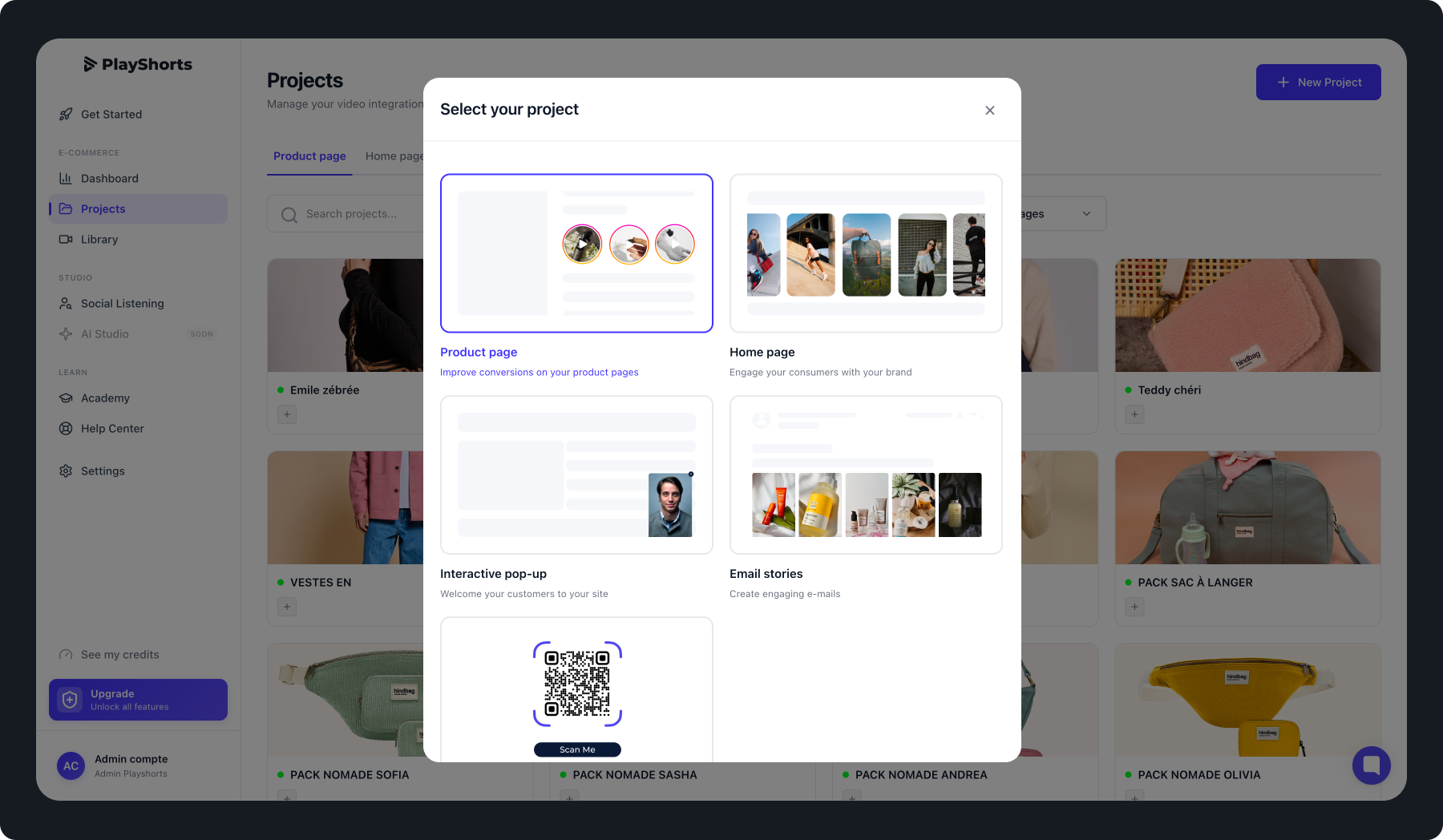
1. Create your Product Page Project.
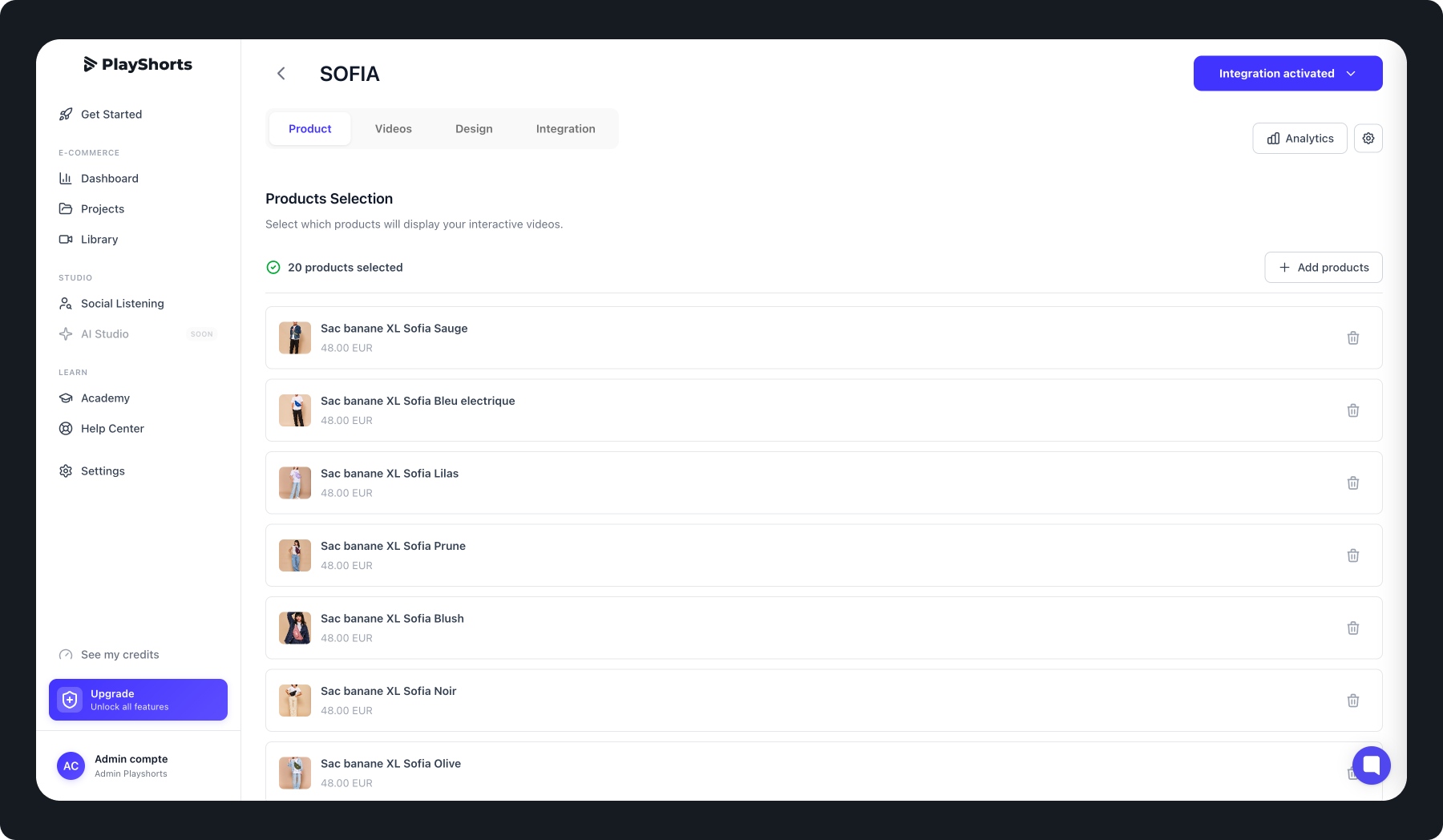
Associate it with multiple products directly from the interface.
Add common stories for all products by selecting “All selected products.”

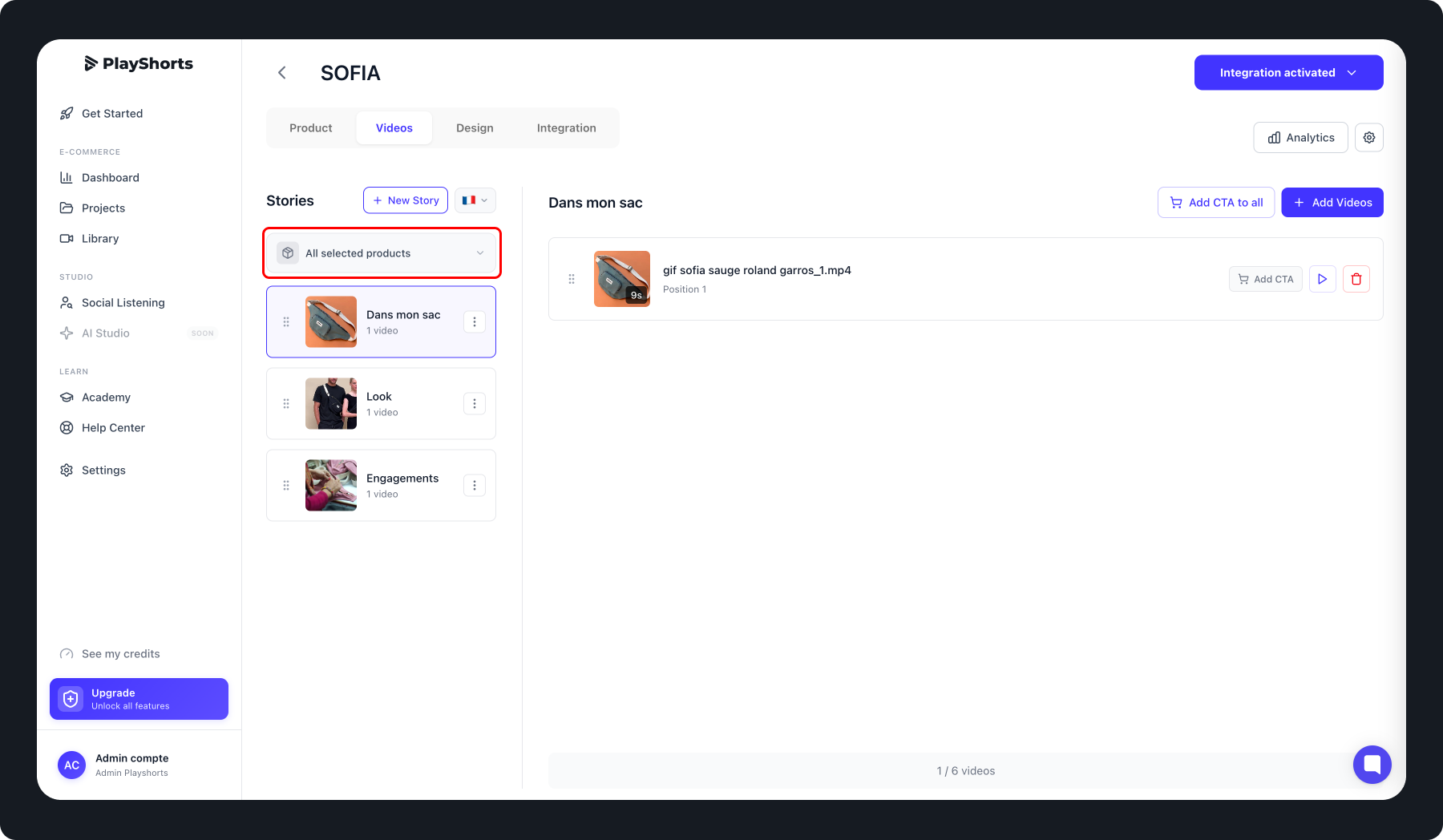
Add product-specific stories by choosing the desired products from the dropdown menu.
You can preview the integration rendering on the design page.