Favorite stories allow you to manage a story once and apply it automatically across all your projects.
With this feature, you can also assign or unassign your stories in bulk, saving you valuable time.
A favorite story is a story that you can reuse in multiple projects.
The key feature: if you edit this story in one project, the changes are automatically applied to all projects where it’s used.
To create a favorite story:
Create your story as usual.
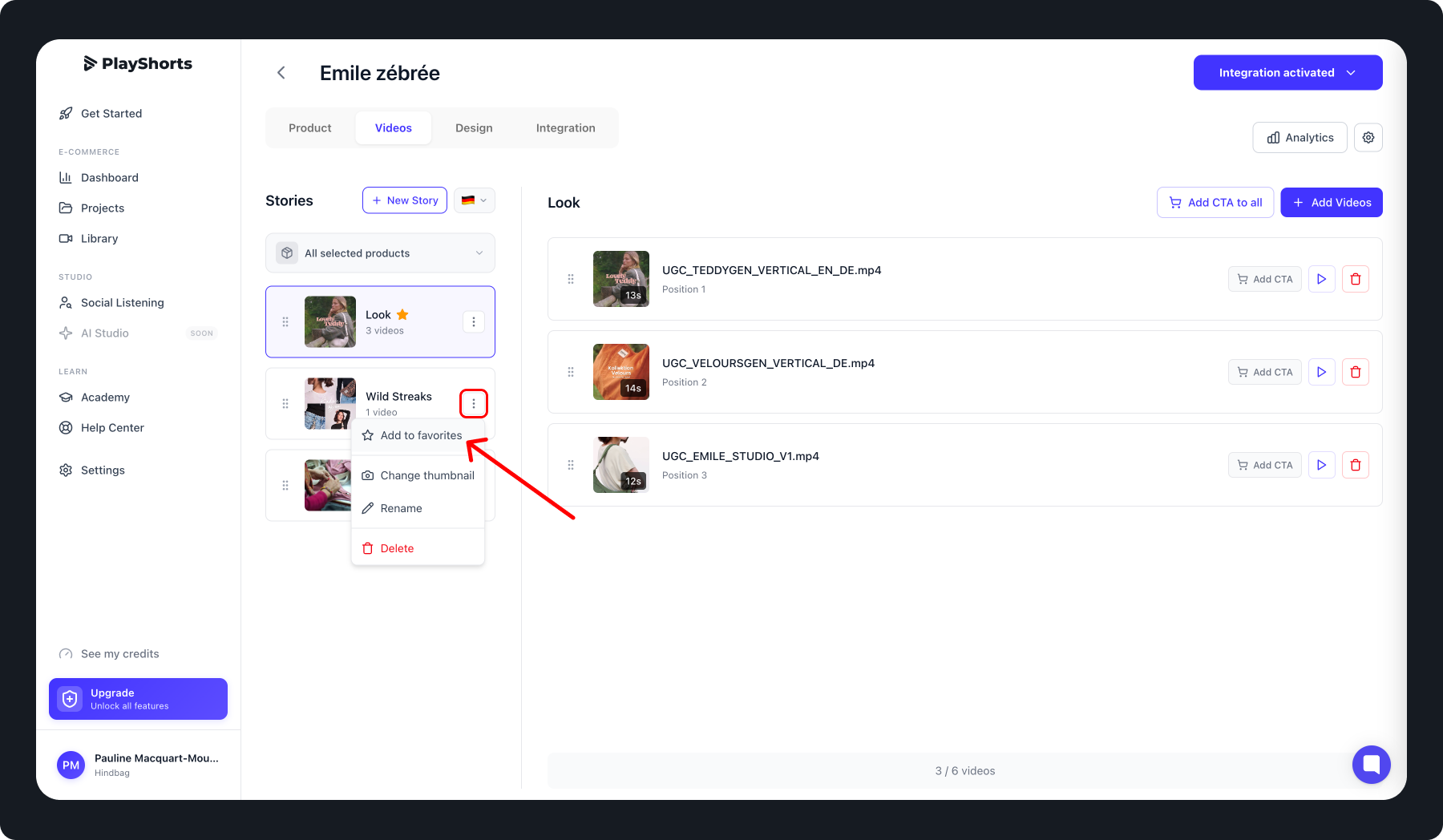
Once the story is created, click the menu on the right of the story title and select “Add to Favorites”.
To add an existing favorite story:
Open your project and go to the Video tab.
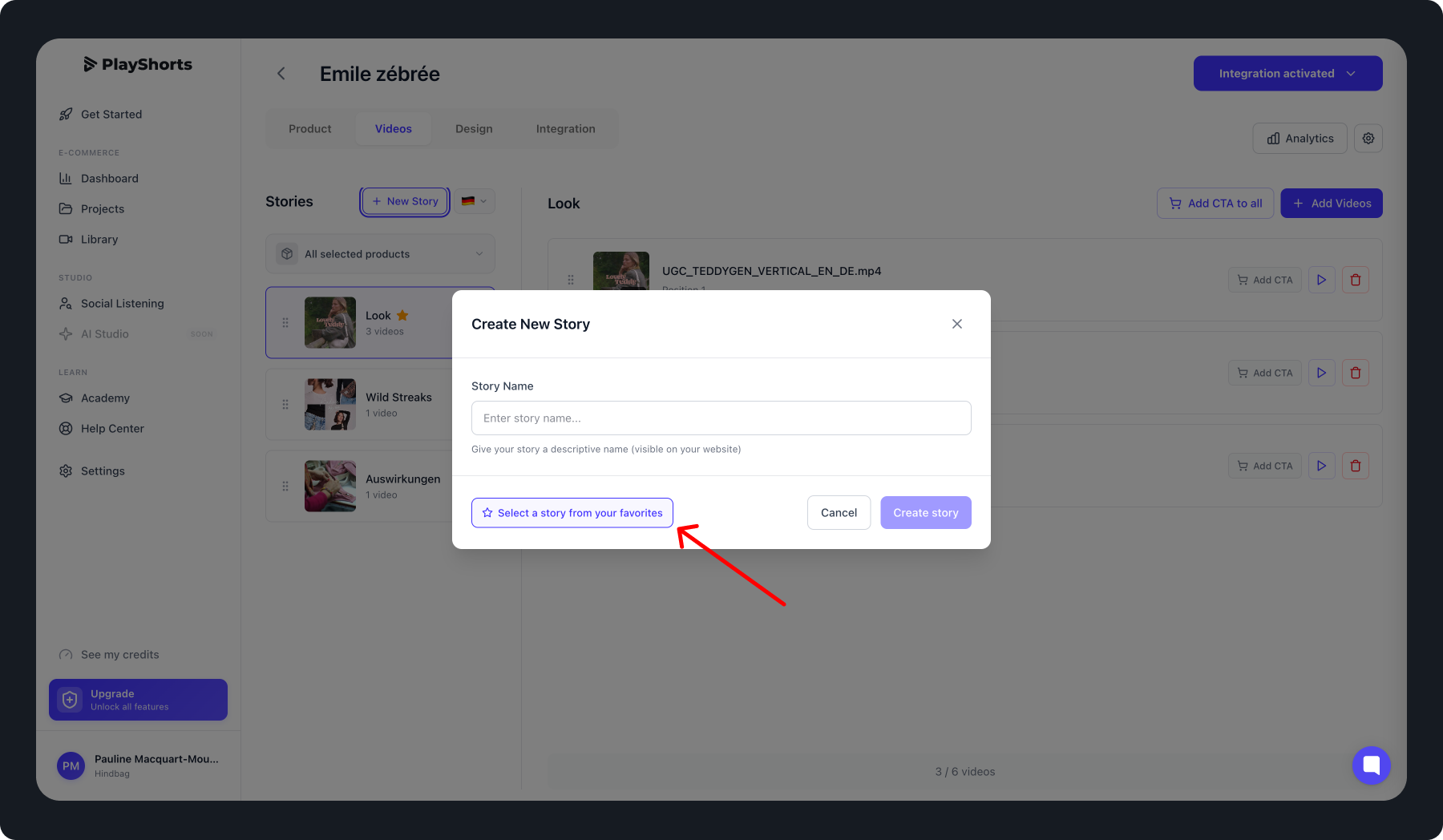
Click “New Story”.
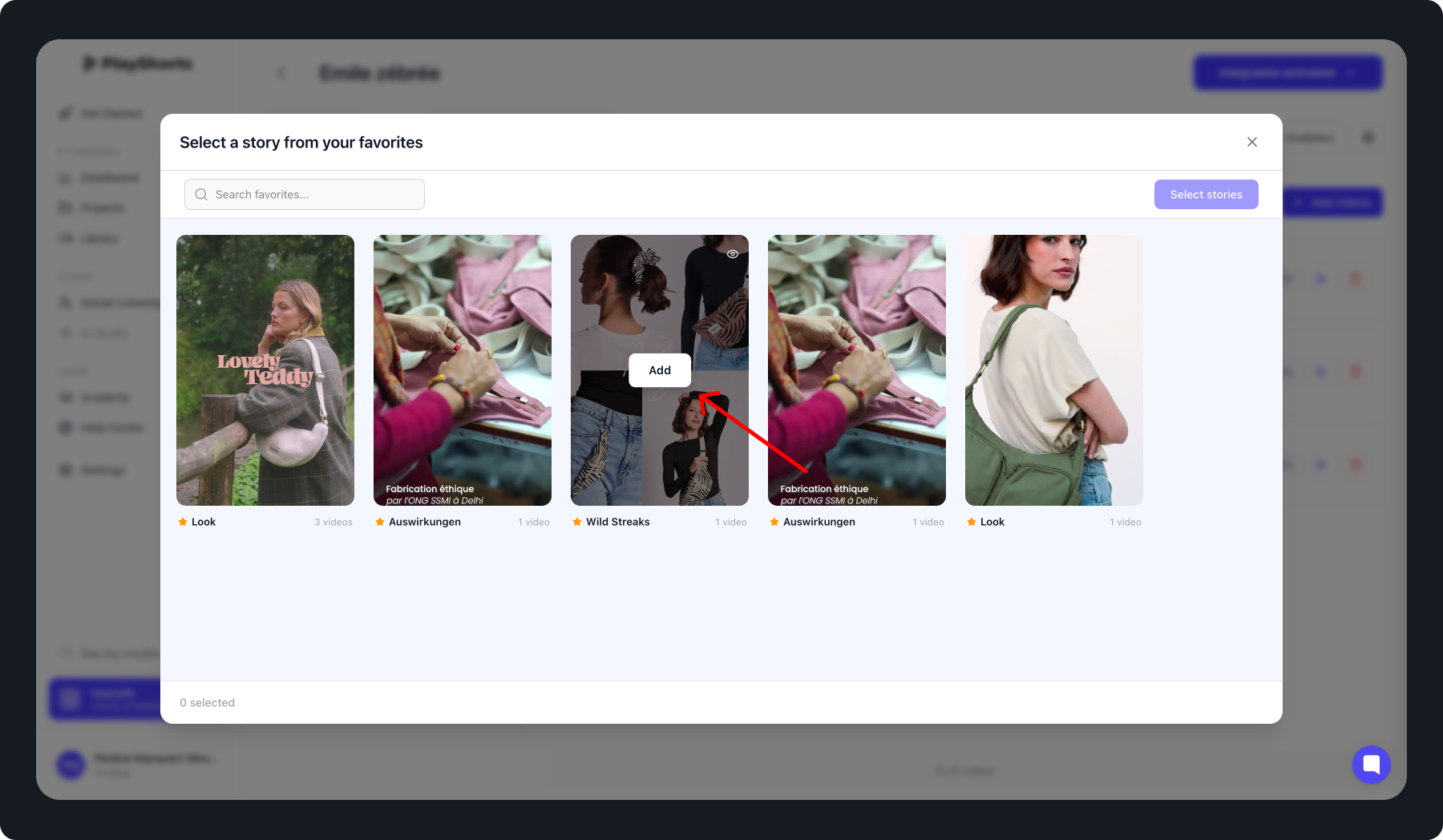
Select “Select a story from your favorites”.
Choose the story you want to add.
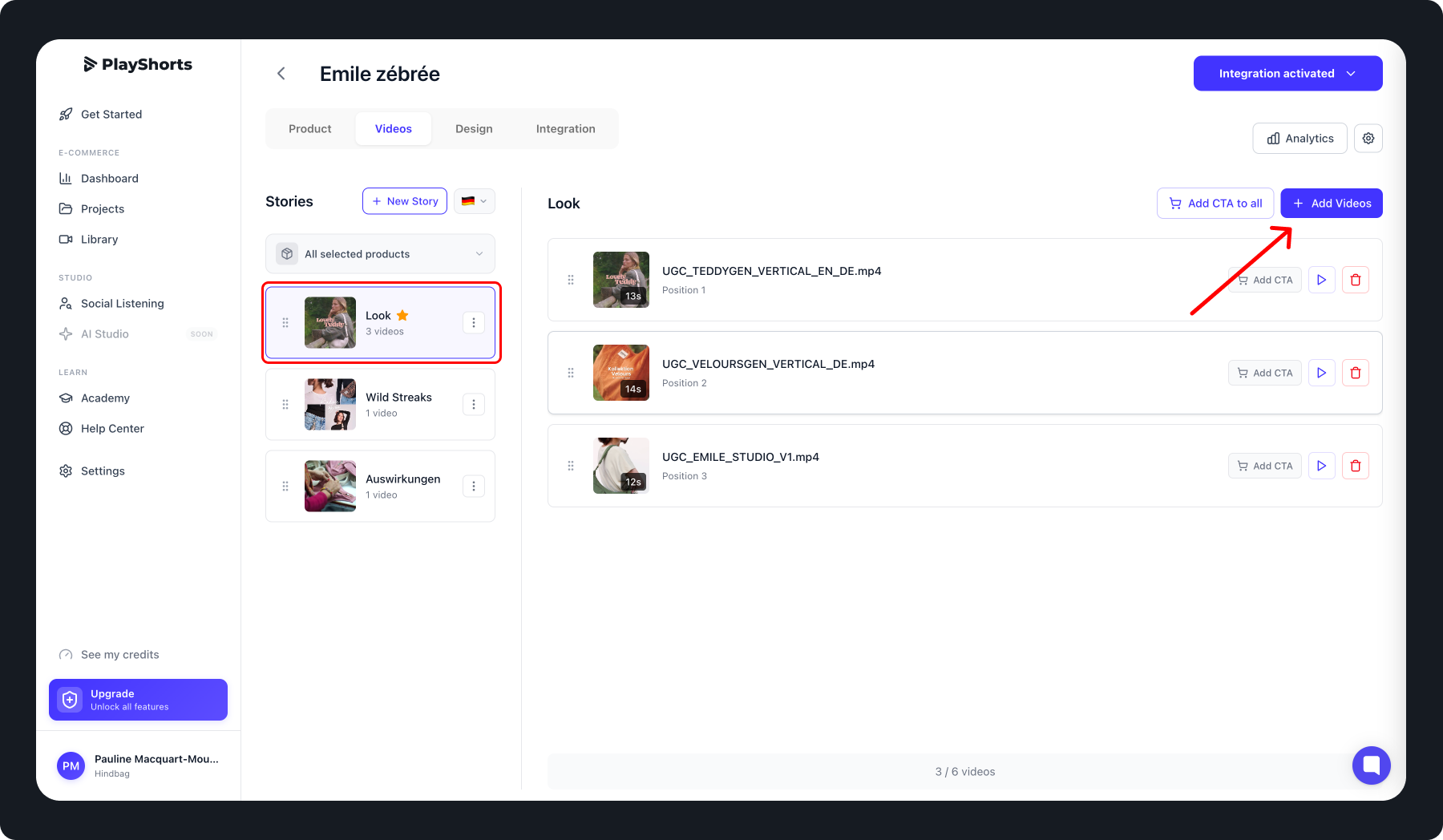
Once a story is a favorite, you can edit it in two ways:
From any project where it is used, just like a regular story.

From Settings:
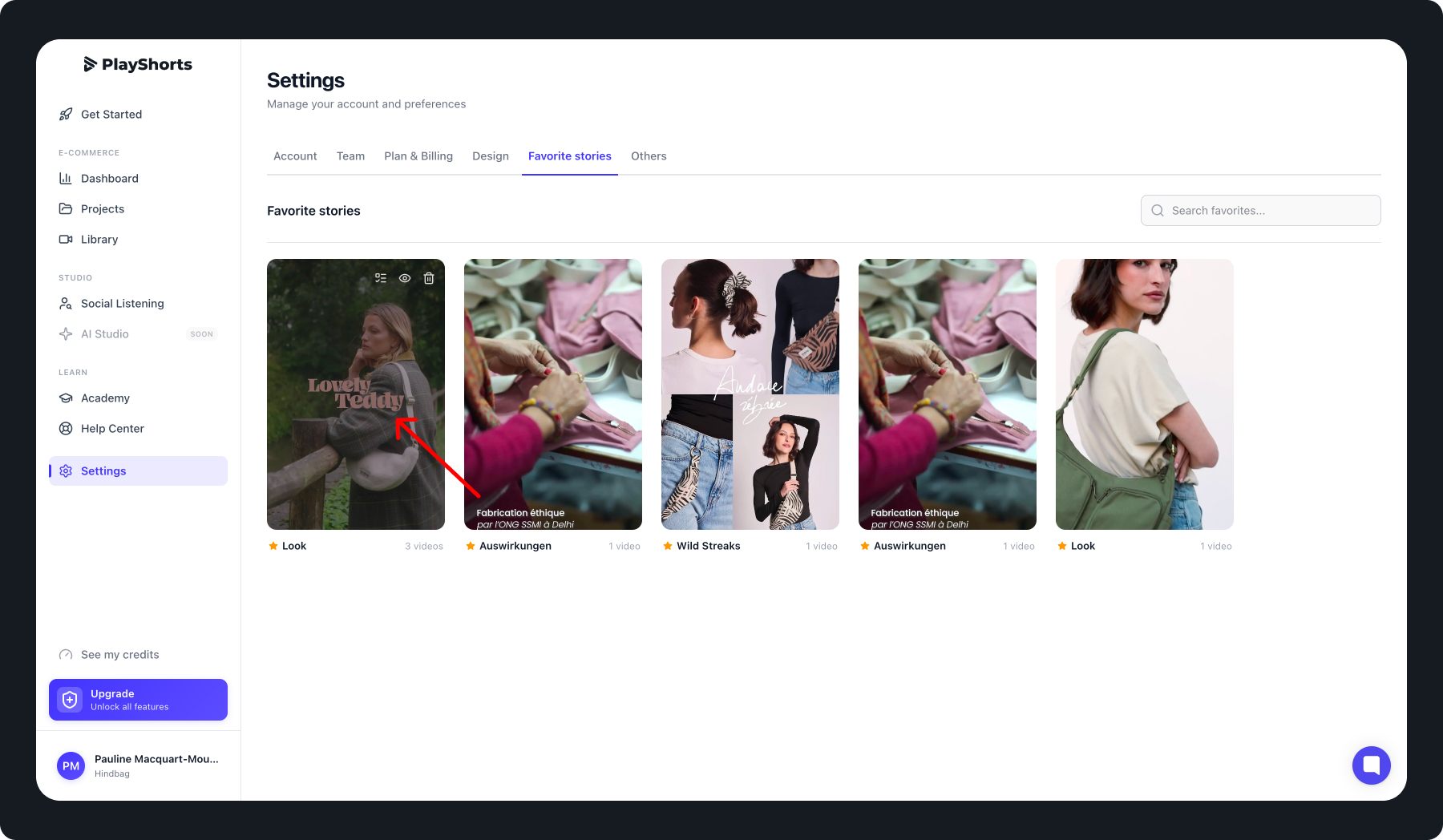
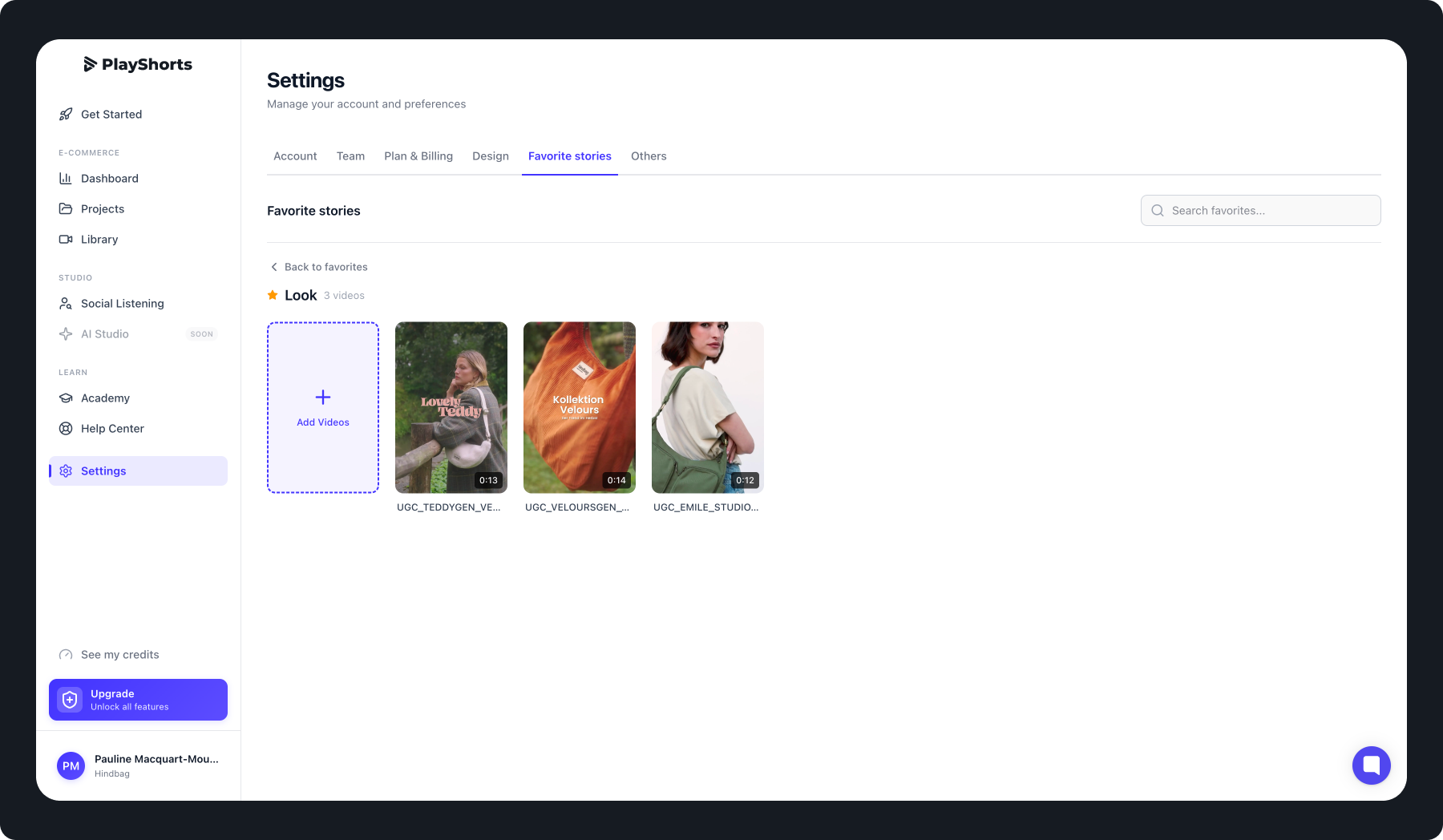
Click on the favorite story you want to edit in Settings → My Favorite Stories.
Reorder or Add Videos to your Favorite Story
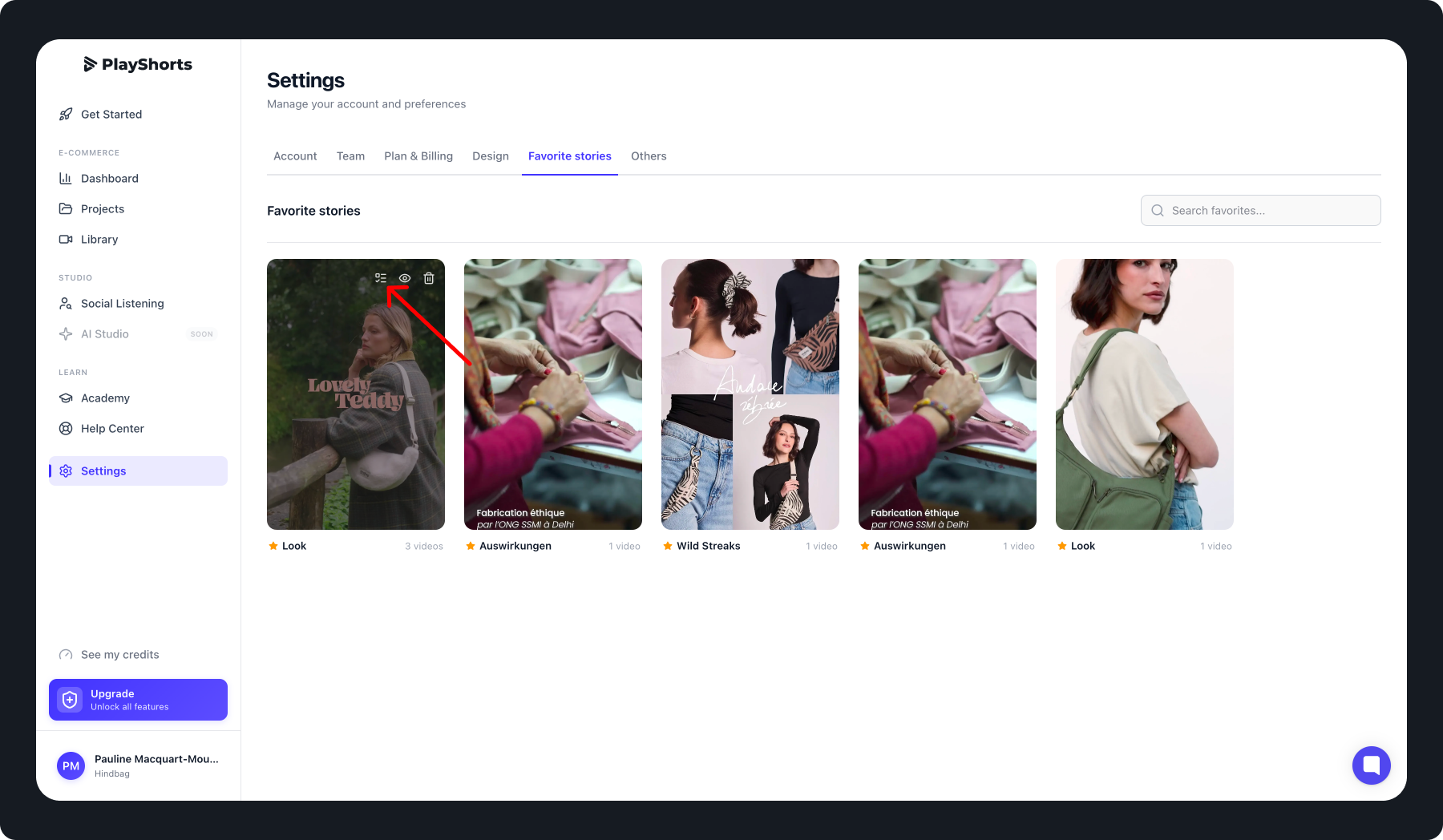
Favorite stories can be assigned or unassigned to multiple projects with one click:
Go to Settings → My Favorite Stories.
Select the favorite story you want to assign or unassign.
Click the assignment icon.
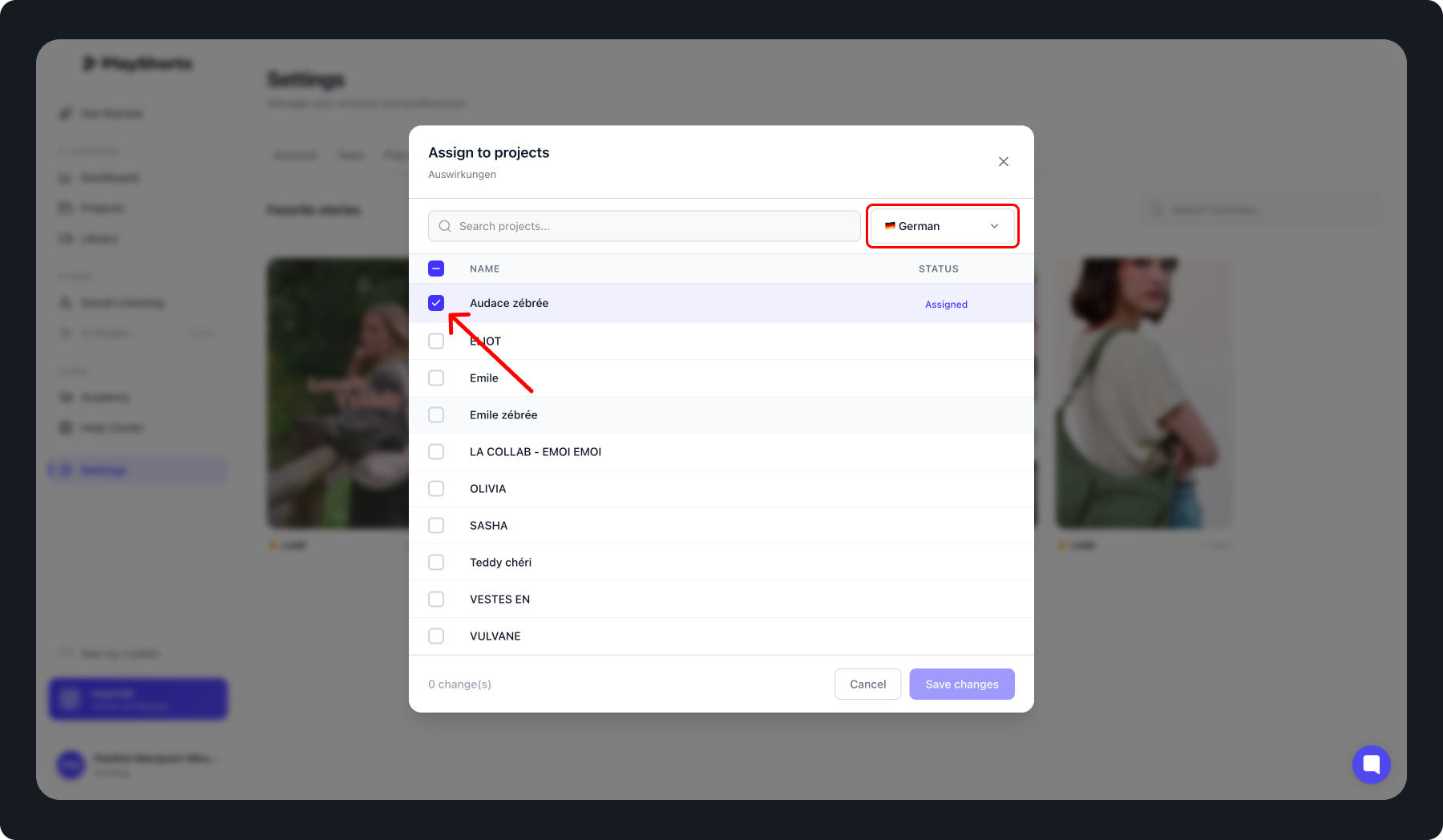
Choose the language of your choice
Select the relevant projects:
To assign, check the projects.
To unassign, uncheck the projects.
Using favorite stories helps you:
Save time by avoiding recreating the same story in multiple projects.
Keep your projects synchronized automatically.
Organize and manage your stories more efficiently.