
From your back-office, you can either unpublish a project to temporarily remove it from your website, or delete it permanently. Here’s how to do each.
Unpublish a Project
If you want to remove a project from your website without deleting it, the unpublish feature is ideal. This allows you to keep the project in your account while making it invisible to visitors.
To unpublish a project:
Open the project you want to unpublish.
At the top-right corner of your screen, click “Integration activated”
Select “Unpublish.”
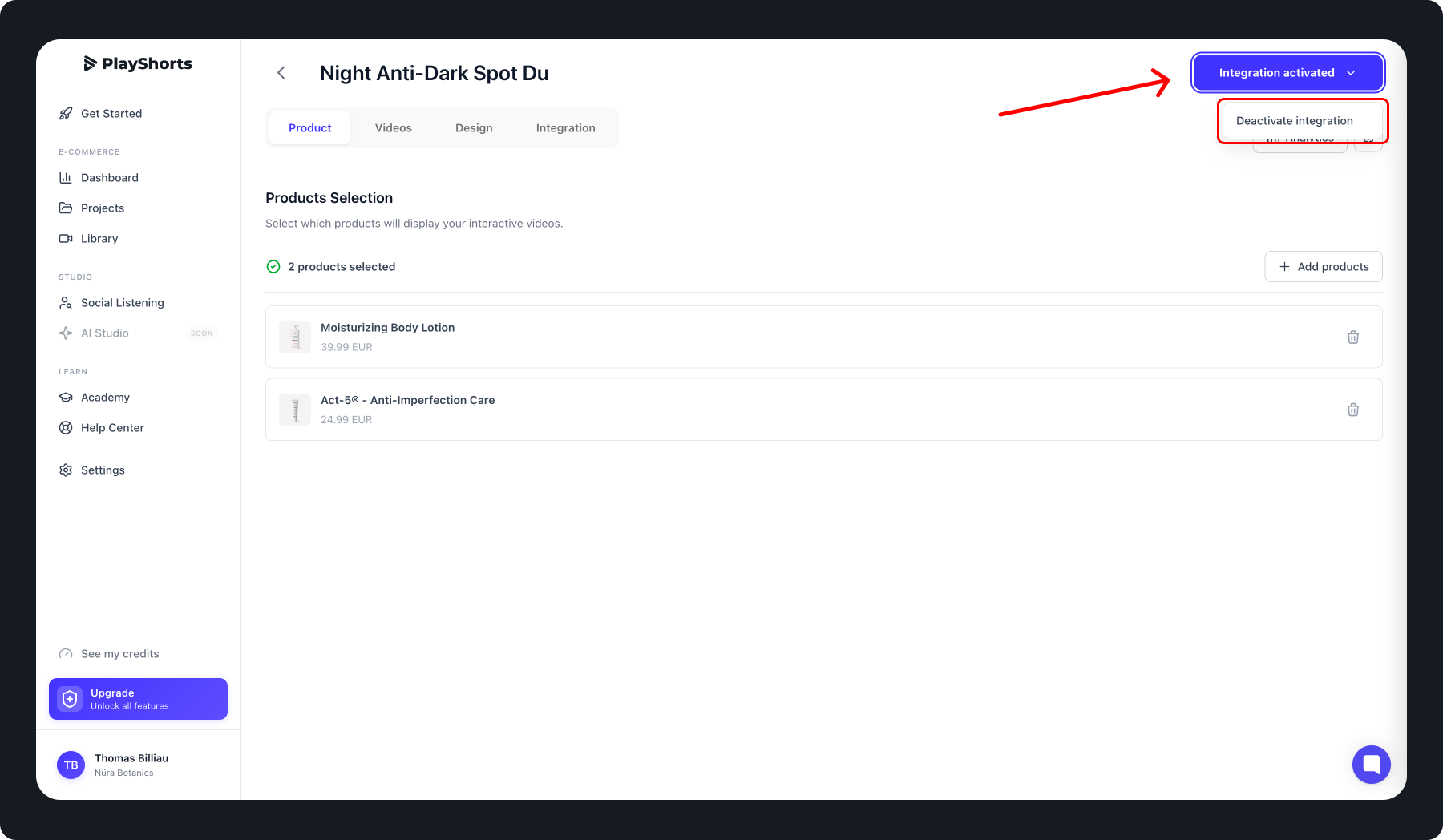
Once this is done, your project will no longer be live on your website but will remain available in your account for future publication.
Tip: You can republish the project anytime by following the same steps and clicking “Publish.”
Delete a Project
If you want to delete a project permanently, please note that this action is irreversible.
To delete a project:
Open the project you want to delete.
Click on the project menu
Select “Delete” and confirm your choice.
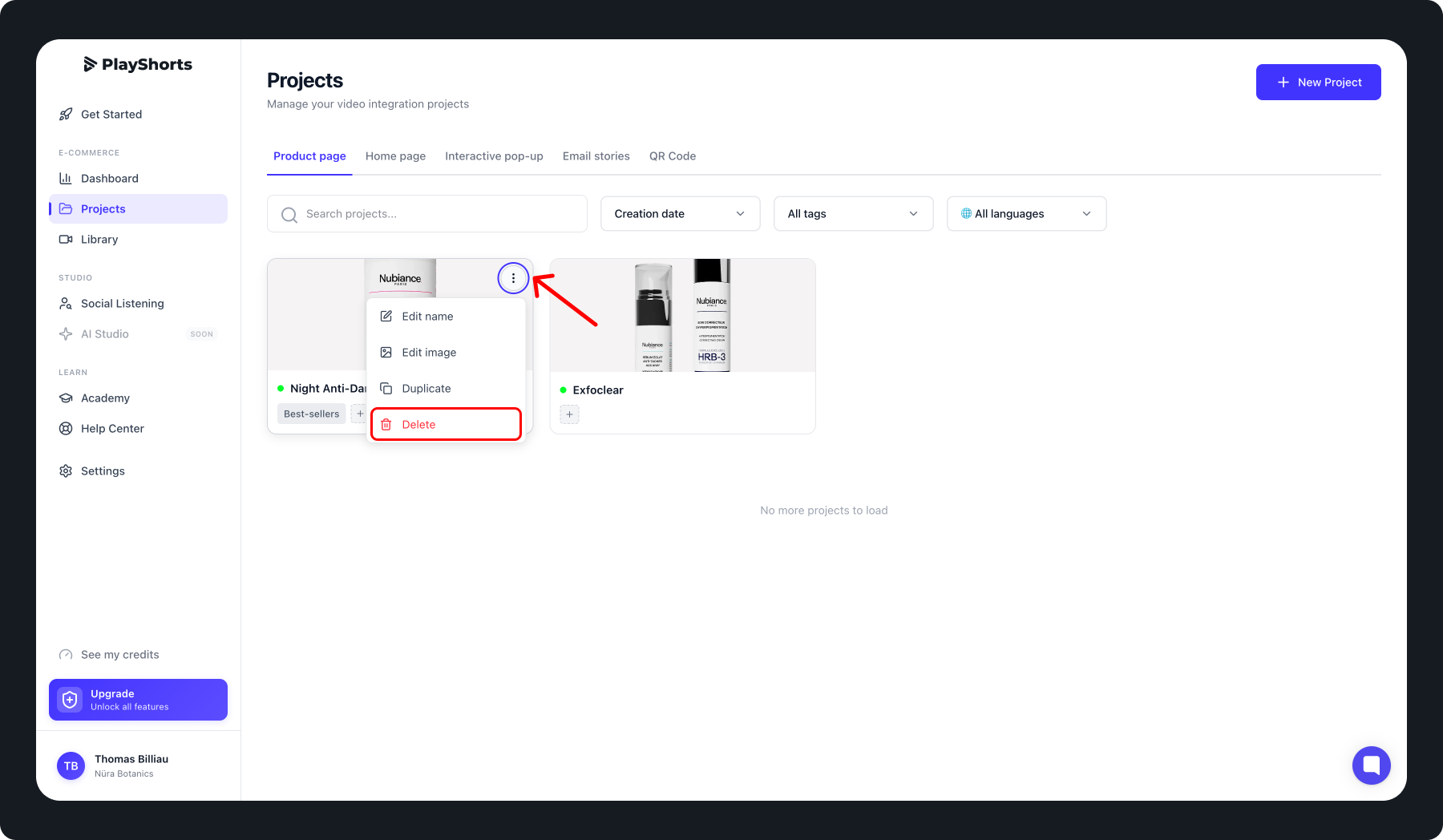
After confirmation, the project will be permanently removed from your account and cannot be recovered.
Why Choose Unpublish Instead of Delete?
Unpublish: Ideal if you want to temporarily remove a project from your site but keep it in your account.
Delete: Use only if you are certain you no longer need the project.