
On PlayShorts, you can add videos to your library and delete them whenever needed. Each subscription plan has a limit on the number of videos you can upload.
If you want to delete videos from your library, there are two options: single deletion or bulk deletion.
Single Video Deletion
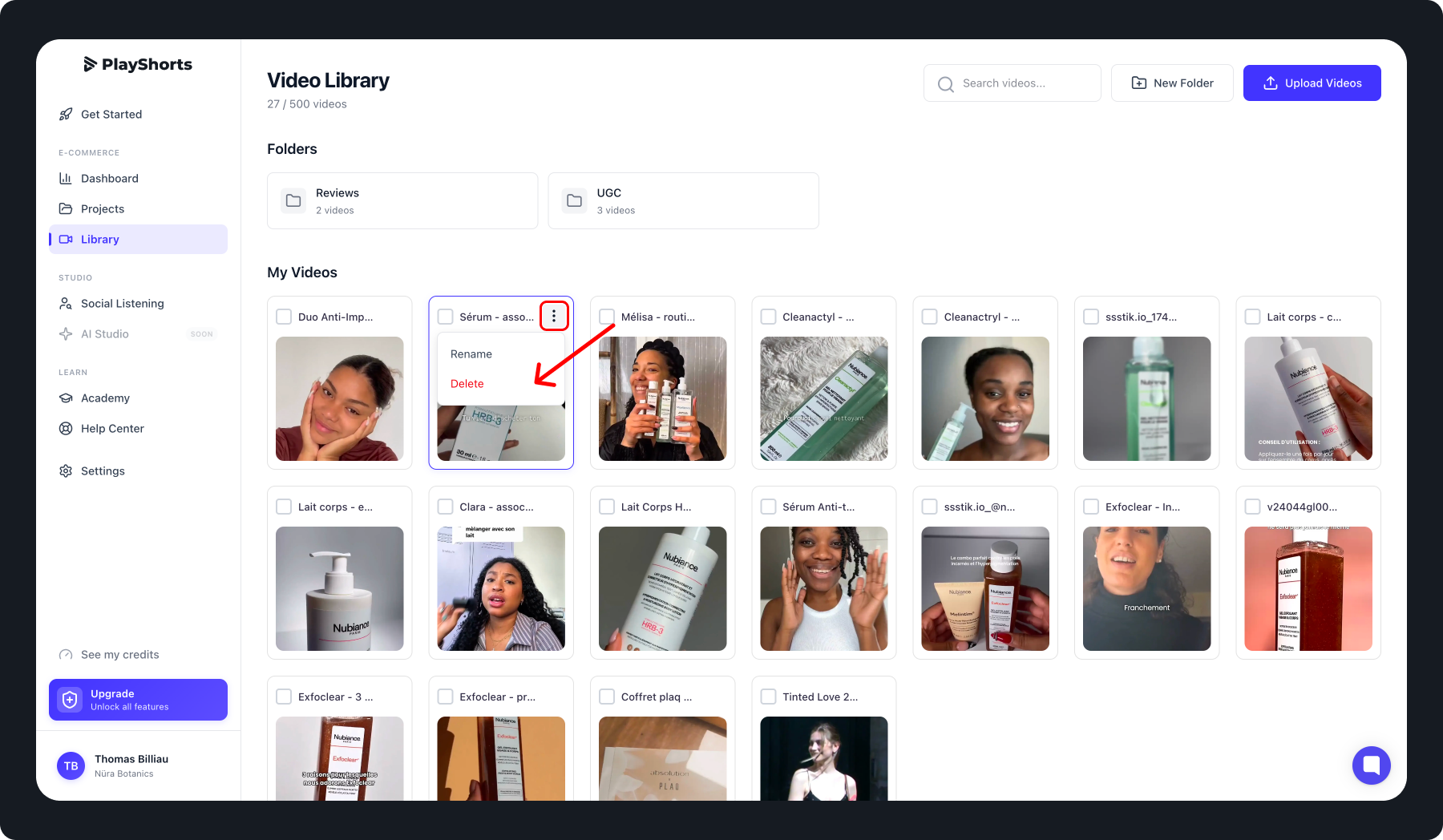
To delete a single video:
Go to the Library section.
Select the video you want to delete.
Click on the video menu (usually represented by three dots “…”).
Choose Delete.
⚠ Warning: Deleted videos are permanently removed and will no longer be visible on your website.
Bulk Video Deletion
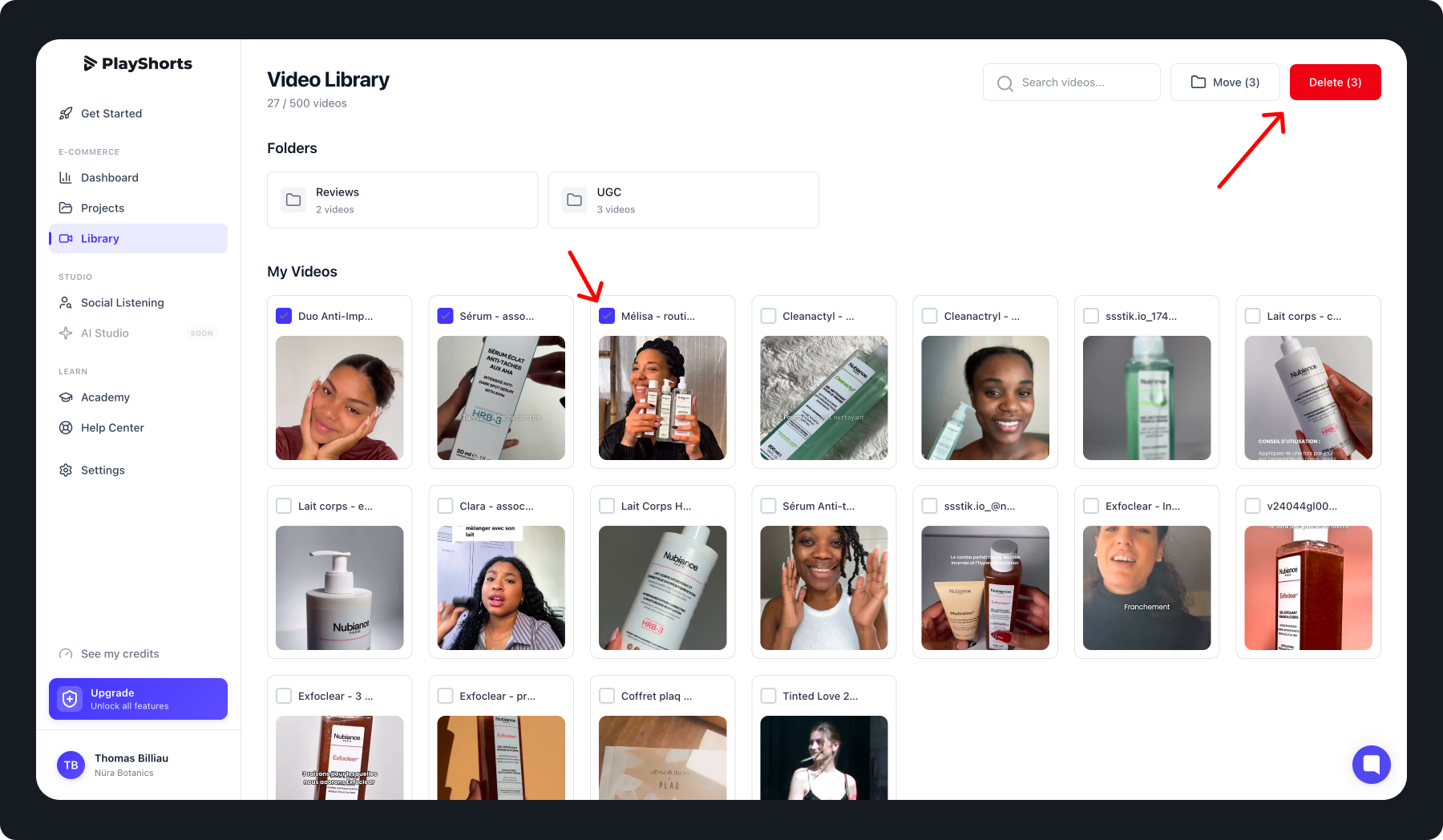
To delete multiple videos at once:
Go to the Library section.
Select the videos you want to delete by checking them in the selector.
Click “Delete files” at the top-right corner of the screen.
This method is ideal for quickly cleaning your library or removing multiple outdated videos.
⚠ Warning: Deleted videos are permanently removed and will no longer be visible on your website.
Best Practices
Always double-check the videos selected before deleting.
Use bulk deletion to efficiently manage your library.
Remember that deletion is irreversible.