
Create an "Email Stories" project
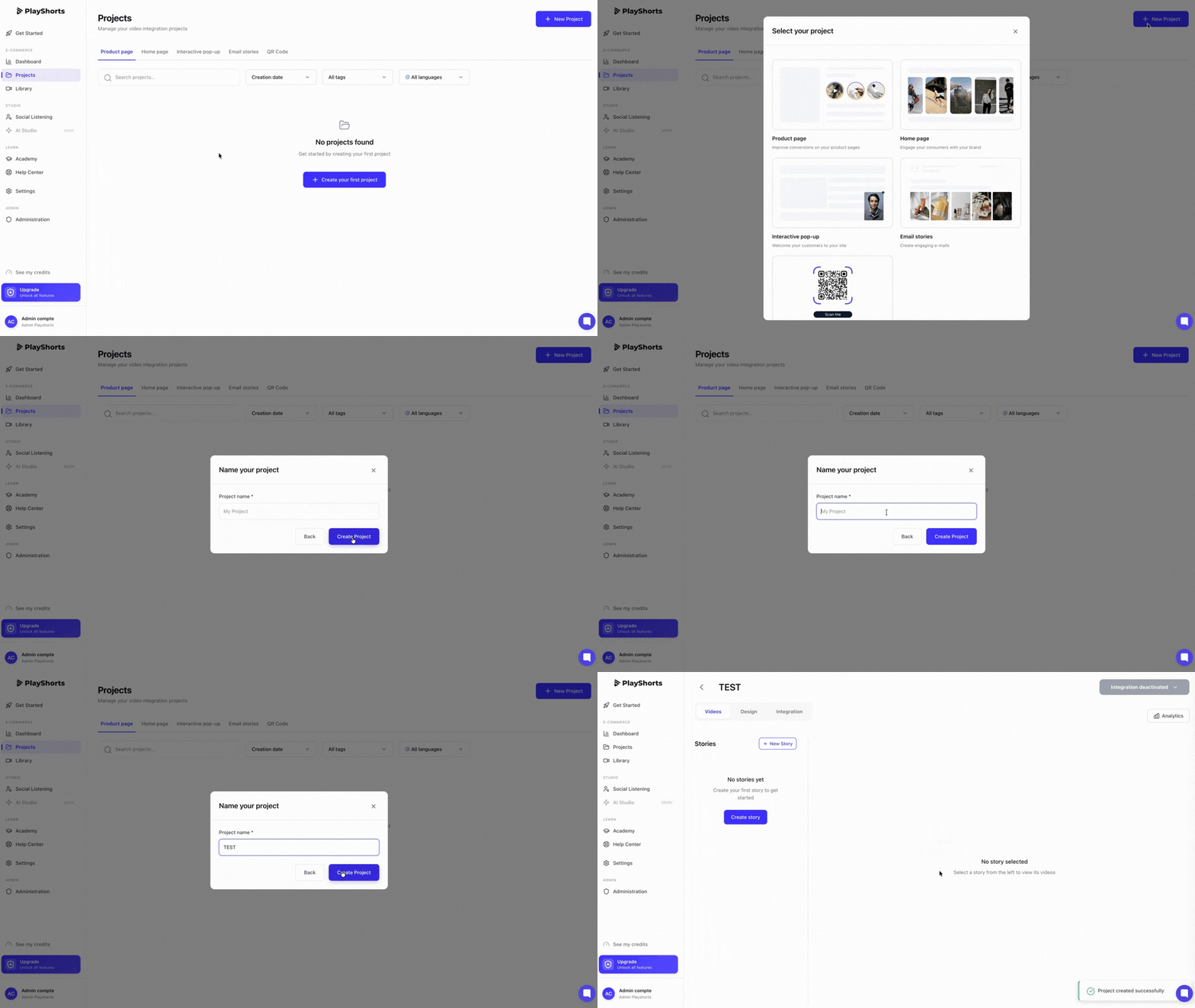
To create your first email stories, you need to :
Create an Email Stories project
Name your project
Create your stories
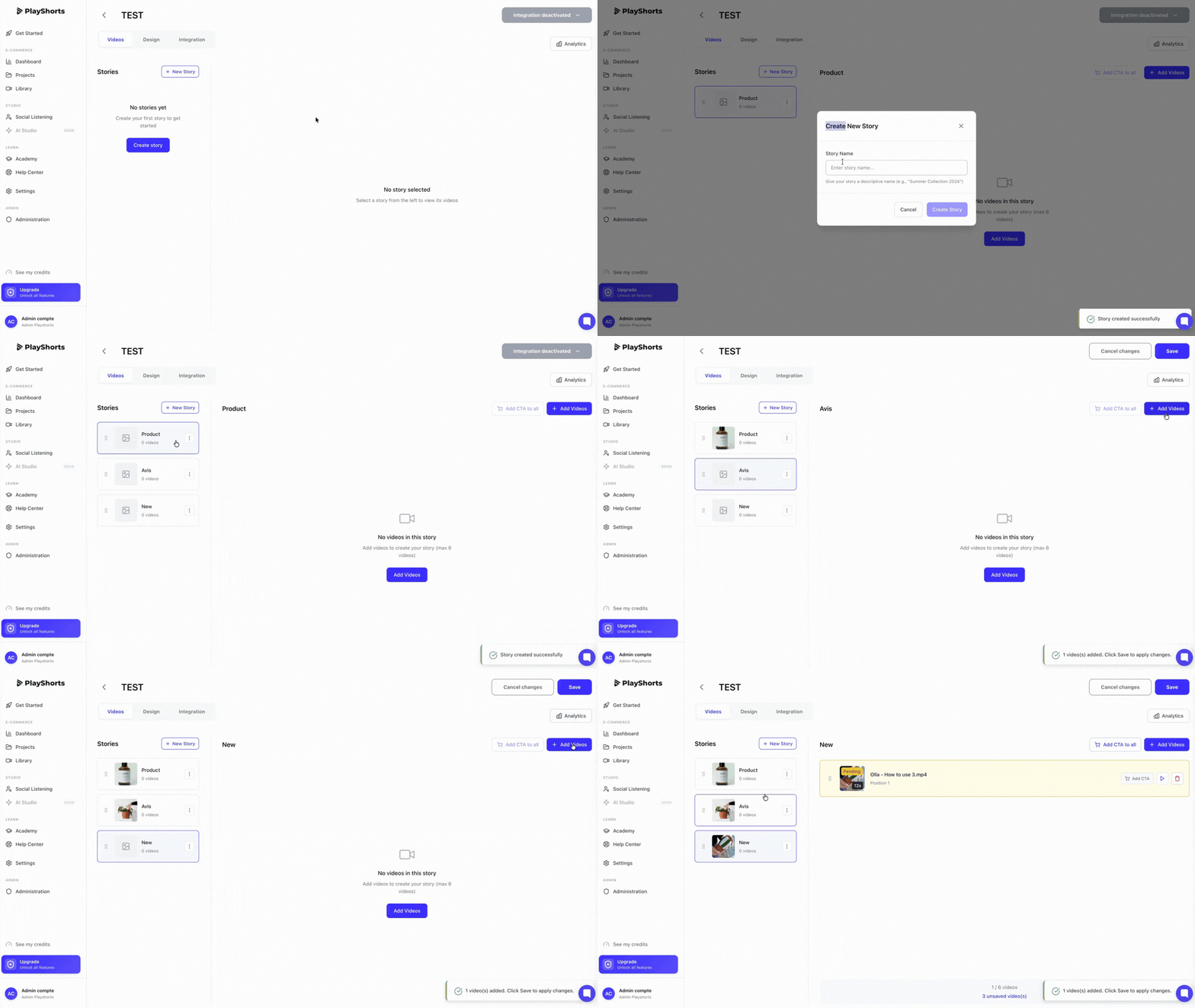
You can now select the videos you wish to display on your emails.
Press “Add story” to create a story
Name your story (this text will appear on the video that will be played in your e-mail)
Add 1 to 10 videos per story by clicking on “Add videos”.
Manage the diffusion order of your videos using drag and drop
Note: 💡
We recommend importing videos in 9:16 format for an optimal rendering on your e-commerce site.
Design your videos
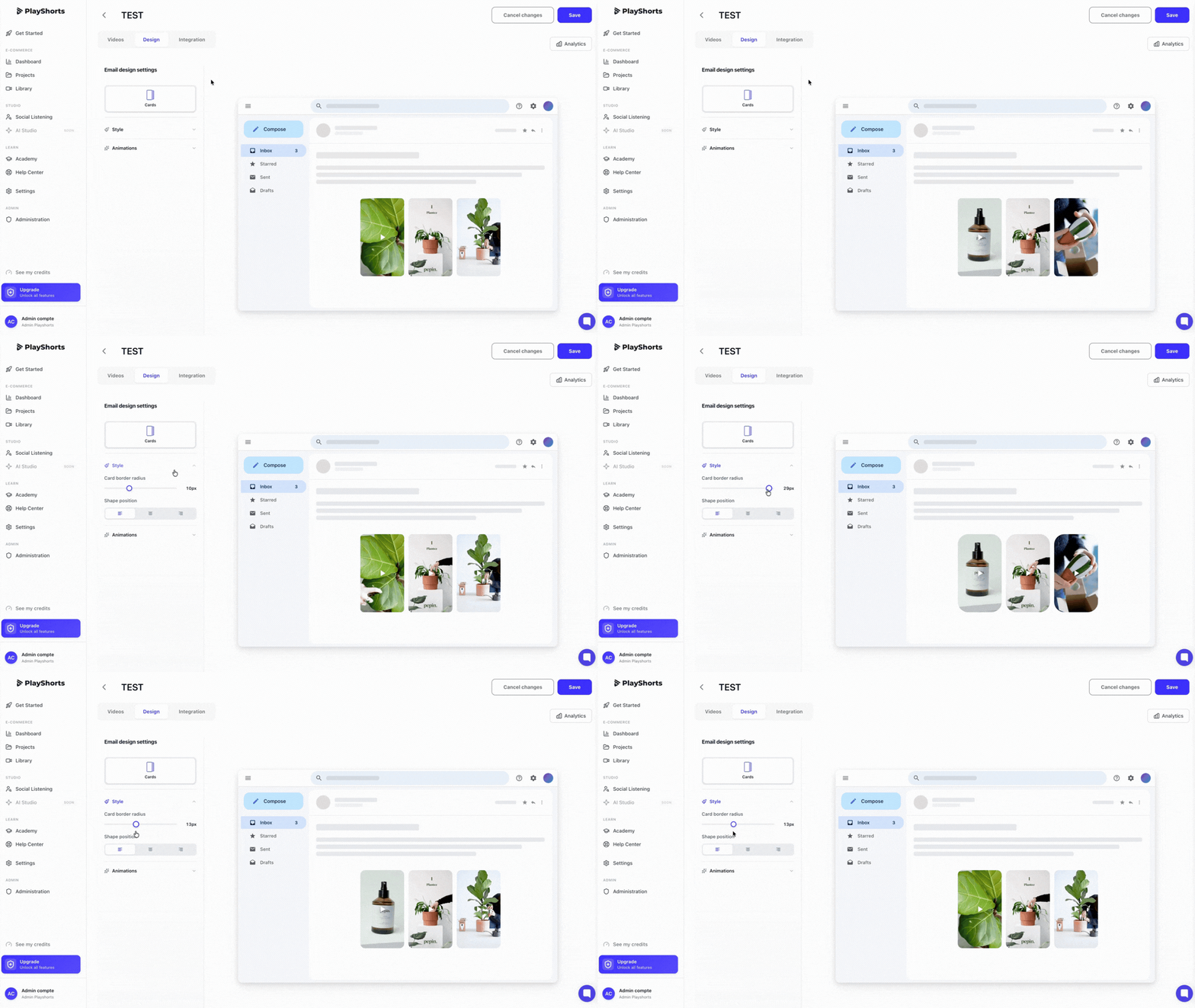
In the “Design” section, you can customize all your widgets as you wish. Follow the rendering live via our interface.
Generate your Emails Stories
To generate your email stories, click on “Generate your email stories”.
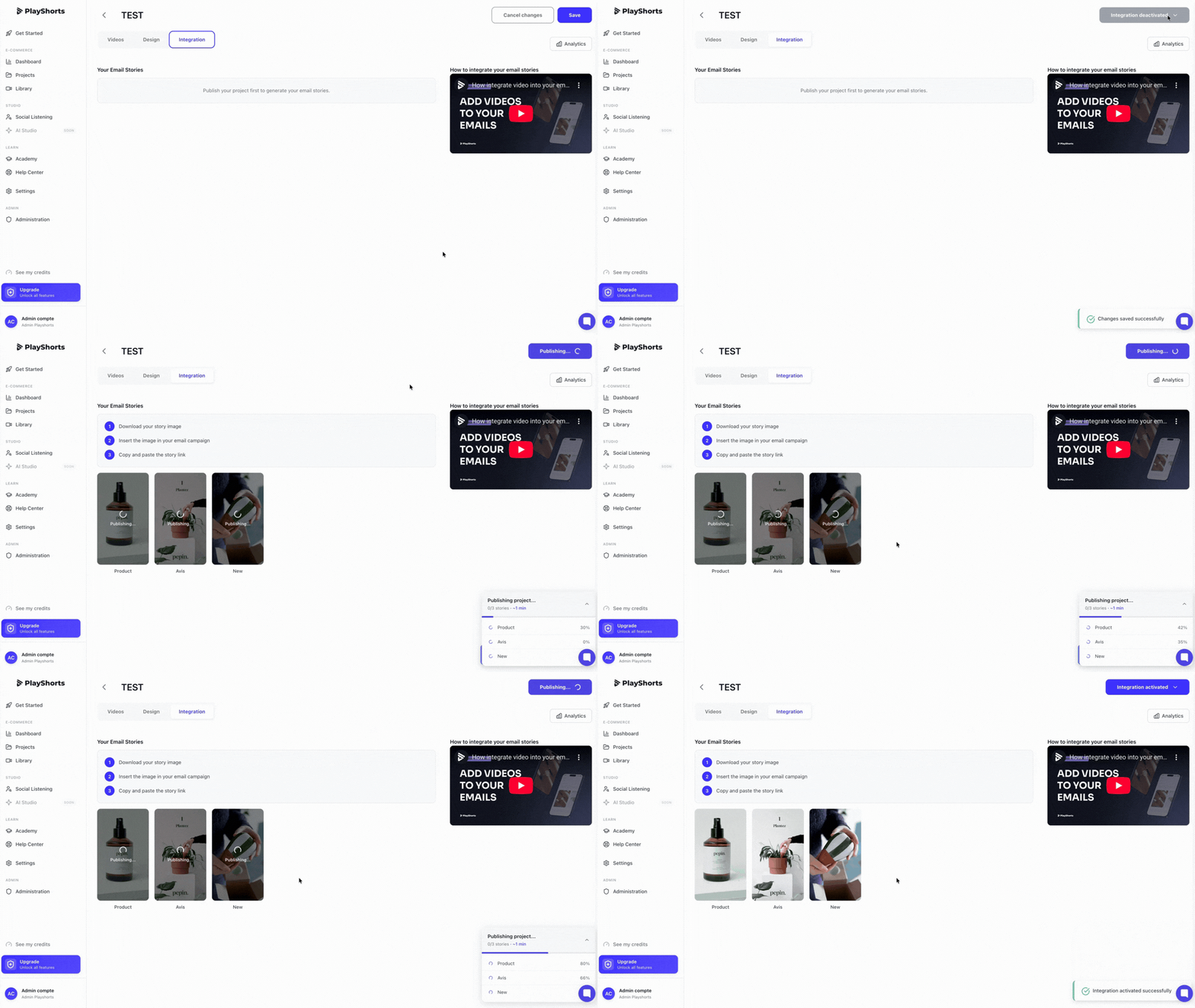
Integrate your image into your e-mails
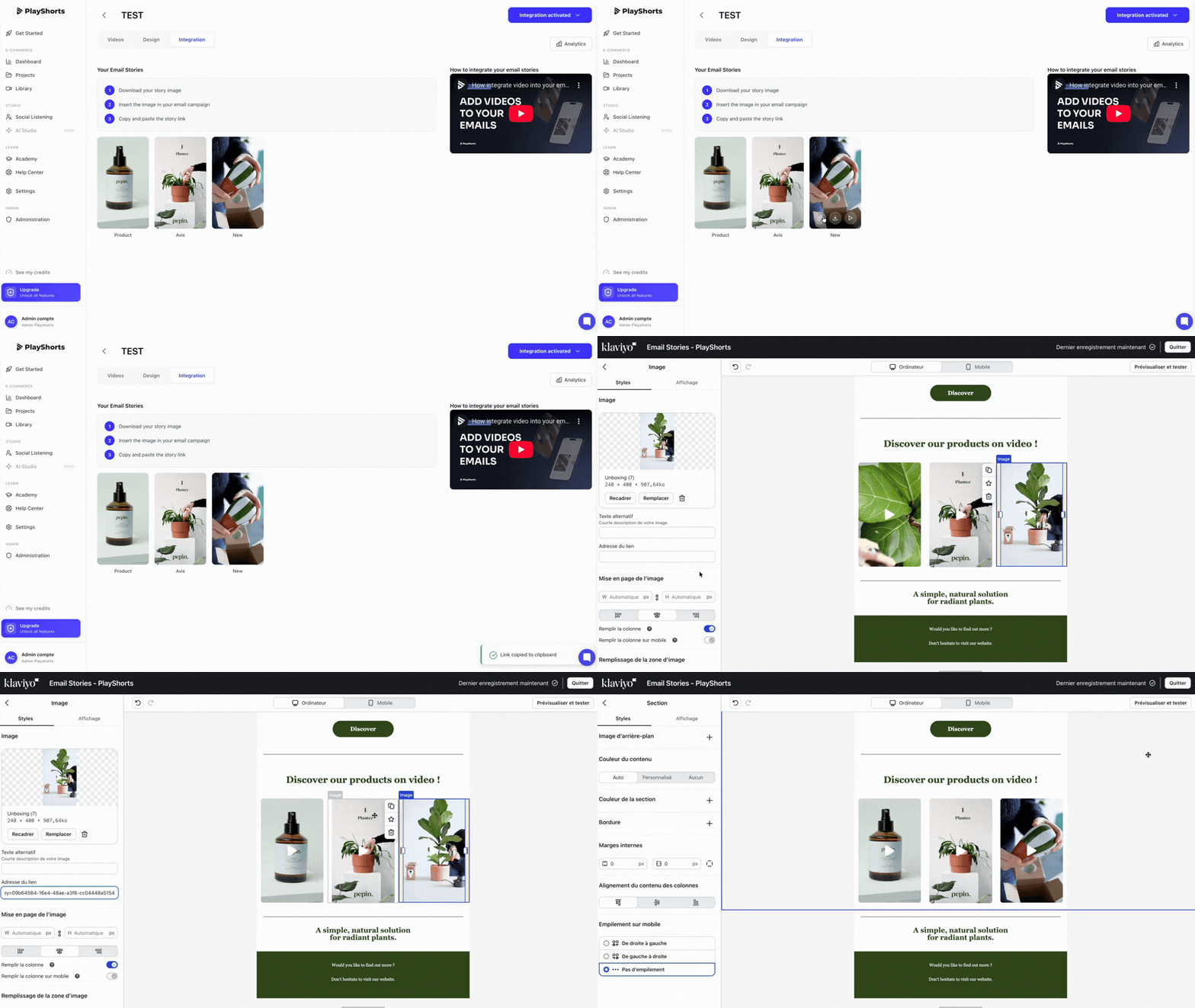
Download your playlist image by clicking on it.
Integrate the image into your e-mail campaign.
Paste your story link into the image inserted in the e-mail.