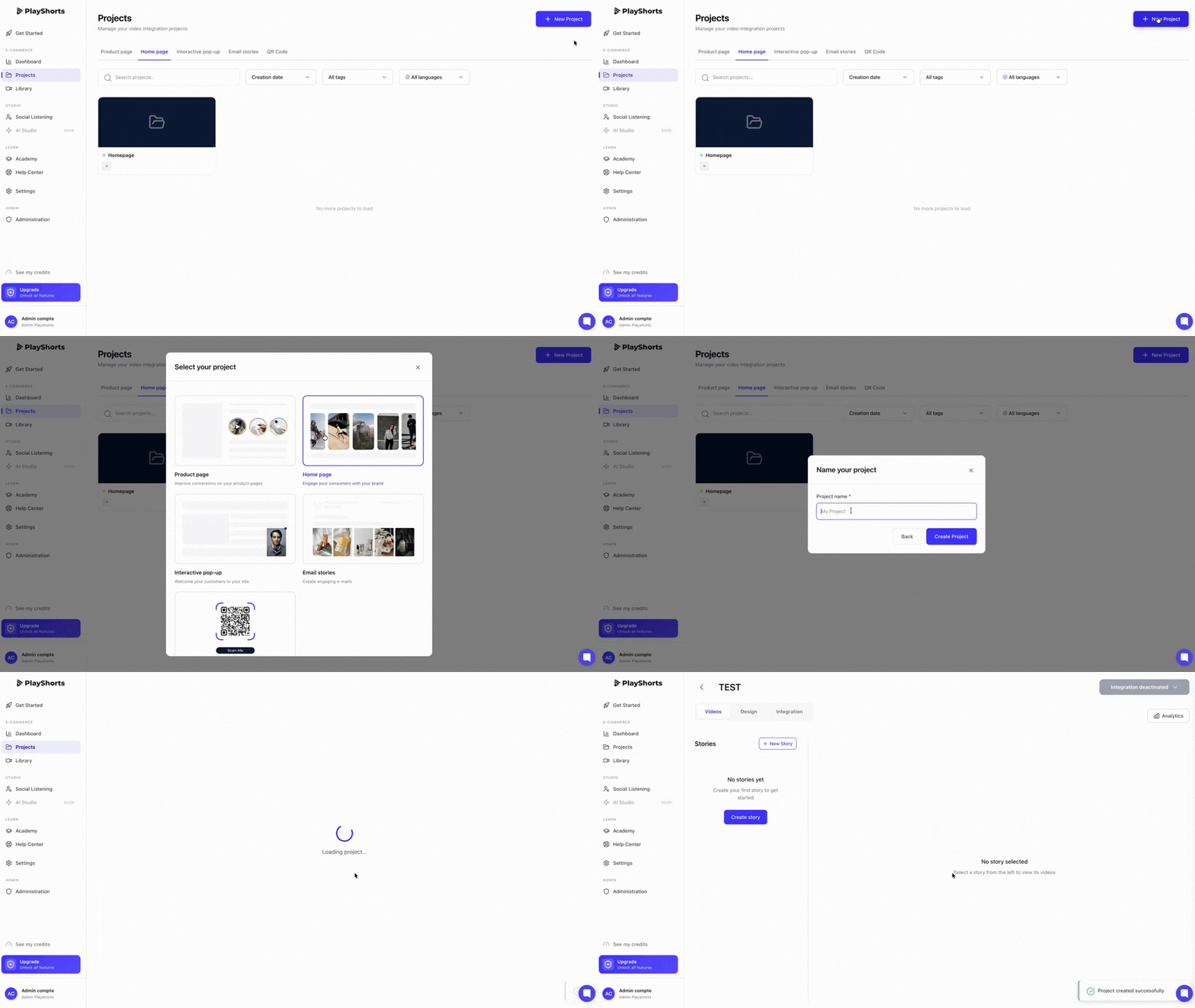
Click on “Create a new project”.
Select “Homepage"
Name your project
Add an image to the project
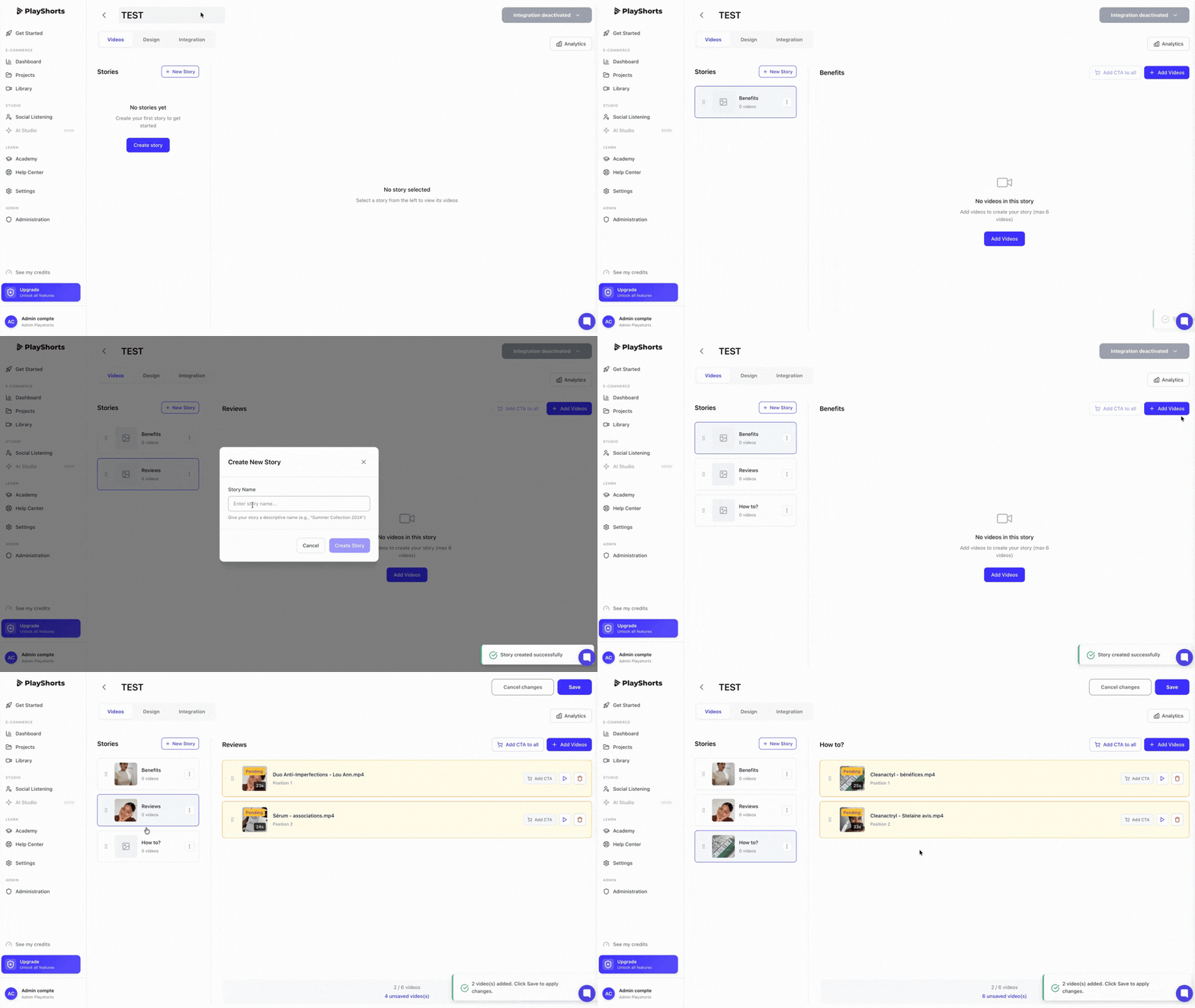
Press “Add Story” to create a story (you can create up to 6 stories / project )
Name your story (this text will appear on your site)
Add 1 to 10 videos per story by clicking on “Add videos”.
Manage the order in which your videos are displayed using drag and drop
💡 Note : We recommend importing videos in 9:16 format for optimal rendering on your e-commerce site.
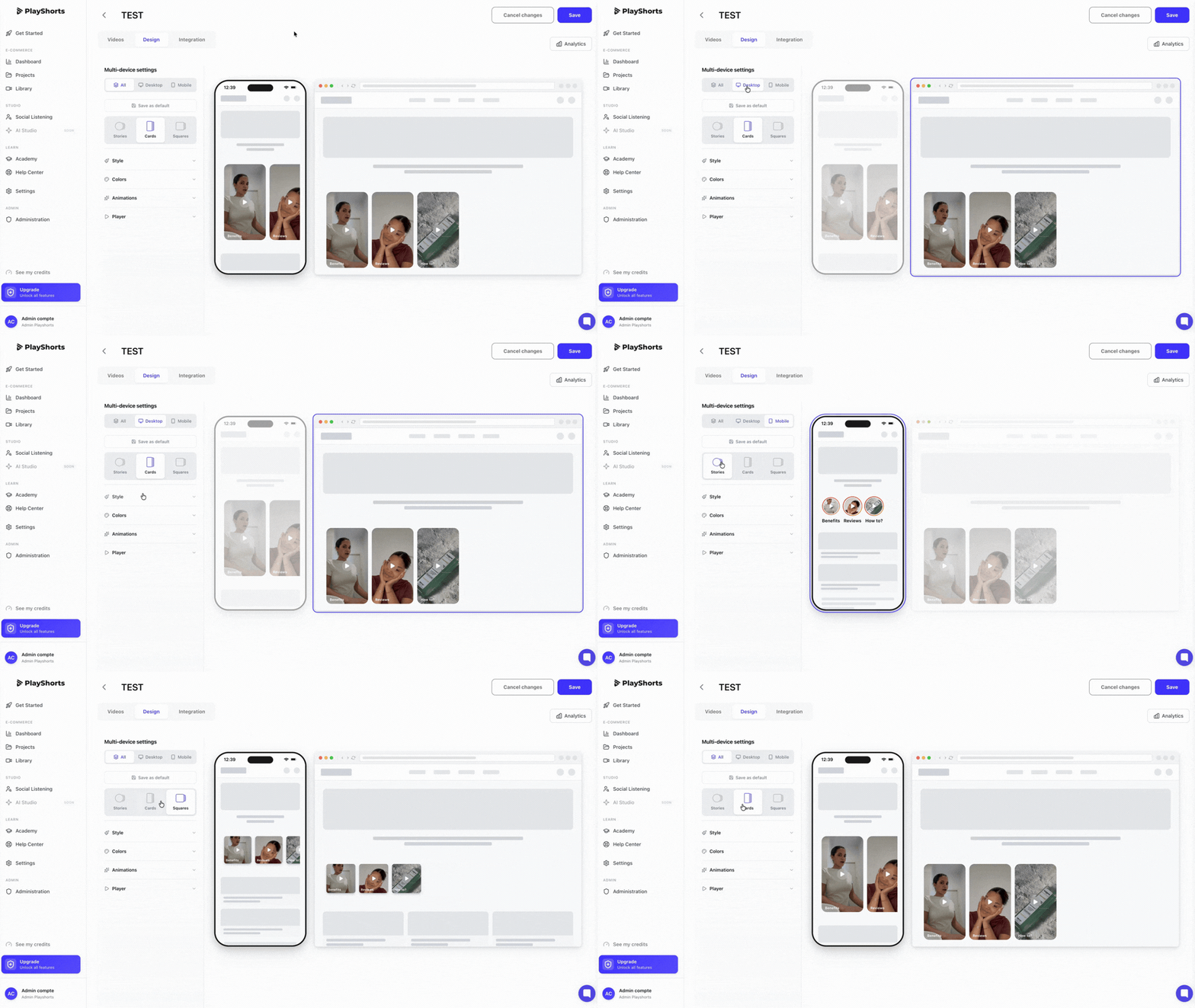
In the “Design” section, you can customize your entire carousel as you wish.
Follow the rendering live via our interface.
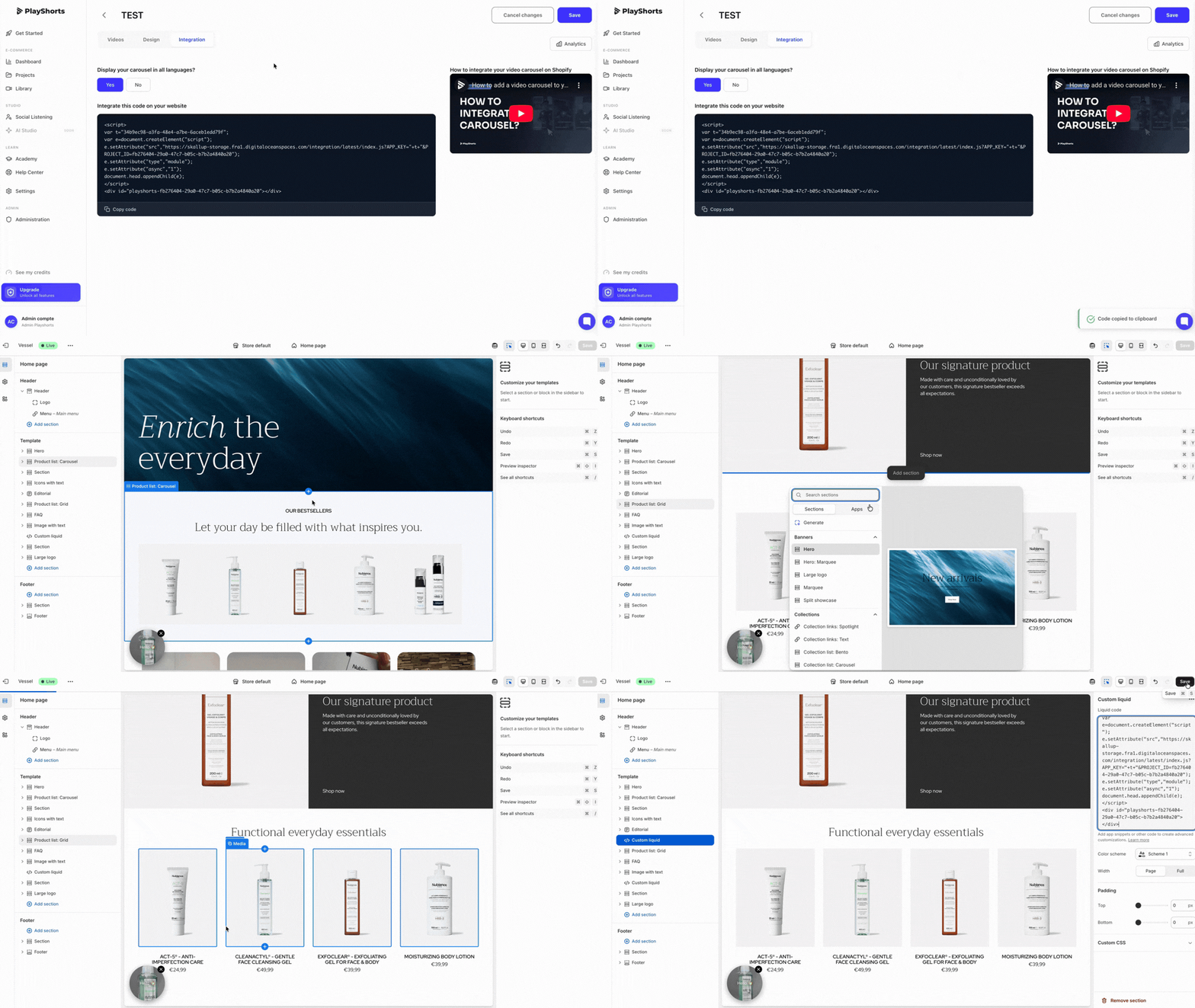
1. Copy our script, available in the “Integration” tab.
2. Go to the back office of your e-commerce theme, and select your homepage or the category page of your choice.
3. Create a custom and placed it in the location of your choice.
4. Paste our script in this section
💡 Note : This script is unique, so for each Homepage create you need to copy / paste the script generate on your e-commerce
5. Don't forget to set section margins to 0
6. Save your changes by clicking on “Save”.
7. Then click on “Integration desactivated” and then on “Publish”.
Wait for our software to finish optimizing your videos. Once optimized, your videos are online! 😉